Review recorded changes with the people and workflows behind them
The latest value does not tell the whole story. PLS provides workflow-specific audit history so authorized teams can investigate recorded changes and hand-offs, while configured roles define access to clinical and operational work.
Talk through your workflowSee where this fits in your day-to-day.
Review available result-change history, report viewing/printing, calculations and specimen/financial audit records alongside configured staff access.
- ✓Available result-change history with old/new values and edit-session context where audit triggers are installed
- ✓Recorded report viewing and printing events
- ✓Recorded calculated-result inputs and outputs
- ✓Specimen collection, receipt, review and recollection audit history
- ✓Recorded financial transactions and approvals
- ✓Configured staff roles and access to patient and operational workflows
Scope noteResult-change history depends on tenant database audit setup and attribution varies by record. No claim is made that every action is logged, that logs are immutable or that software alone establishes compliance.
Explore the supporting workflows and benefits.
Incident Reporting System
The current incident reporting page and its original reporting controls.
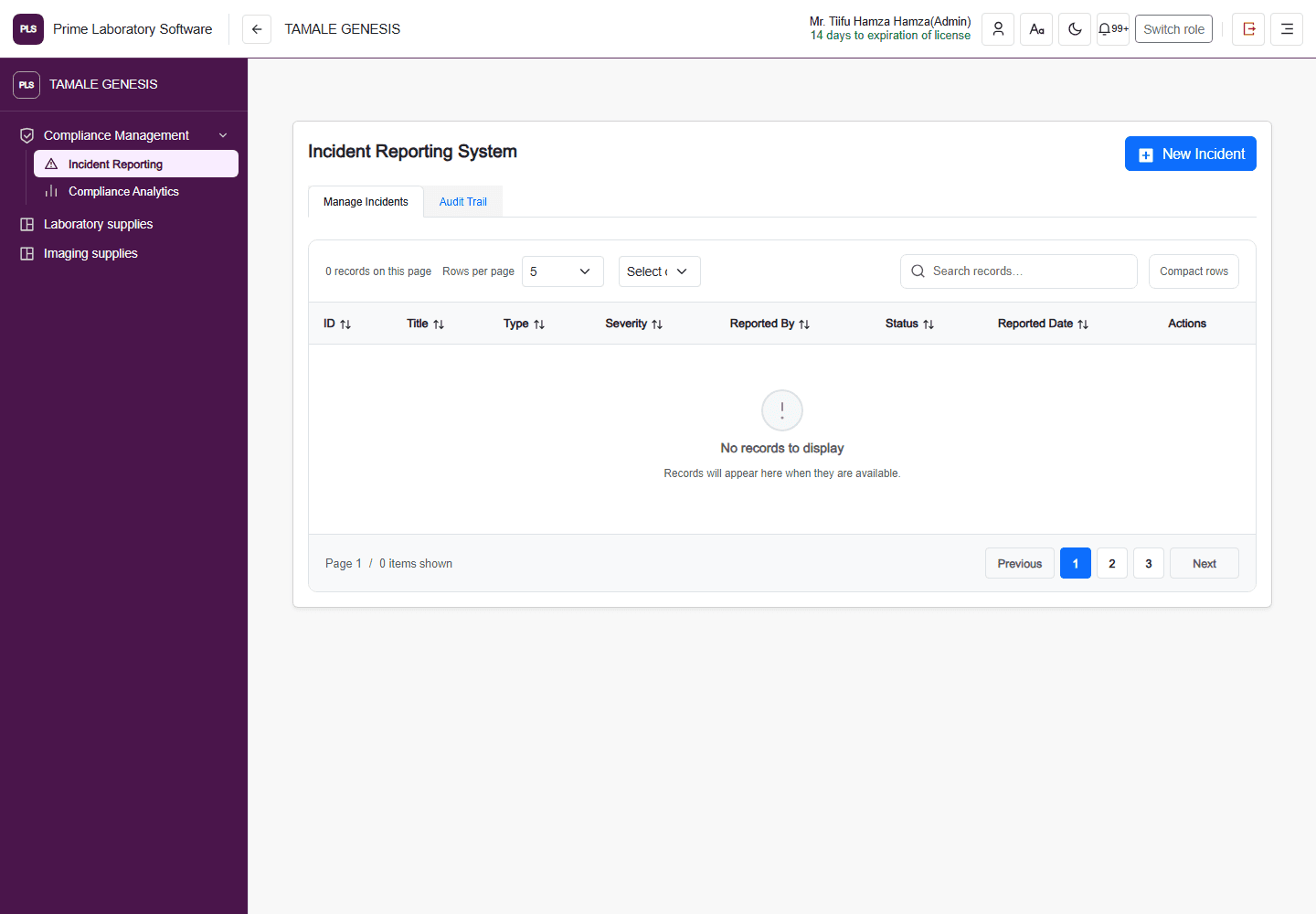
Captured from the current, customer-confirmed PLS demo facility on 1 November 2026. The application header, navigation, page content and displayed demo values are retained. This is a software page capture, not a redesigned illustration.