SEE THE SOFTWARE

The current software. Page by page.

Full pages captured from the PLS demo facility, with the original application header, navigation, content and displayed demo values. No simulated dashboards. No substitute interface.

A public tour, not a patient-record system.

These are interface captures, not interactive customer sessions. Screens reflect the configuration and permissions in the captured workspace; availability in your facility depends on agreed scope. The complete catalog covers additional workflows beyond the screens shown here.

Read the complete feature catalog Explore analytics dashboards & reports
42 ACTUAL PRODUCT VIEWS

Explore each workspace in detail.

Open an image at full size to inspect the interface. Read the corresponding workflows without relying on a screenshot alone.

Jump to a workspace 42 screenshots
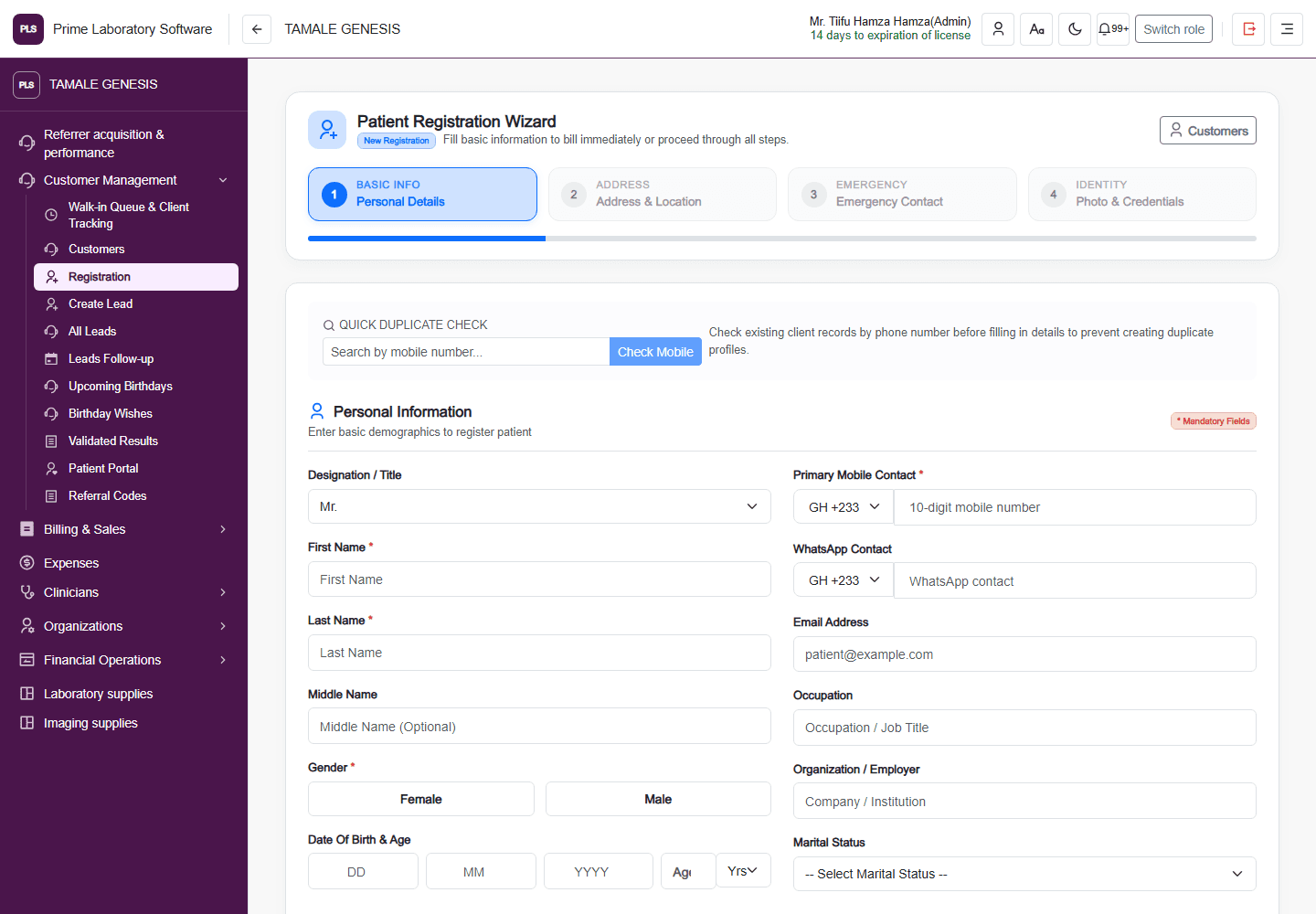
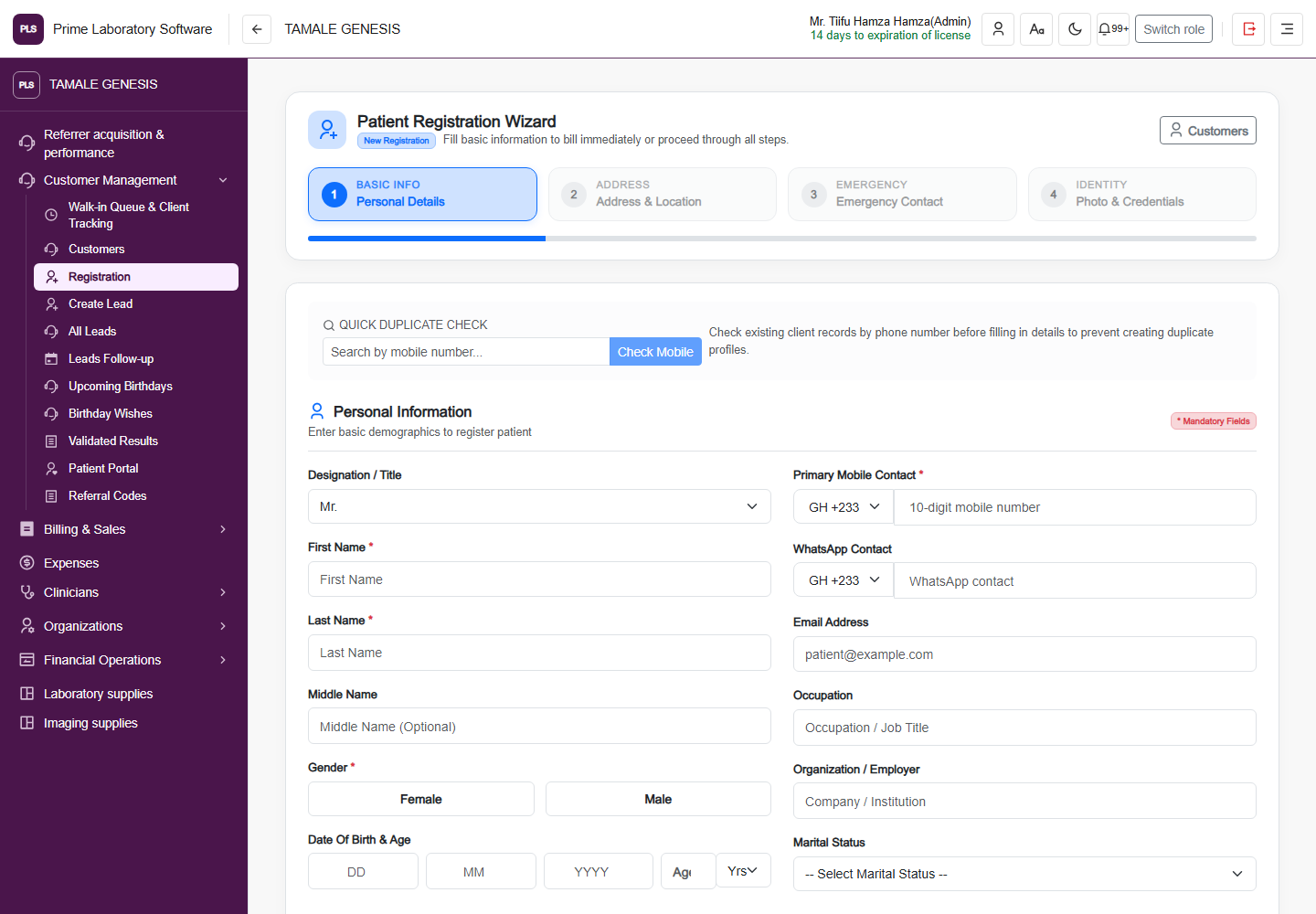
Full PLS demo software page: Patient registration, including the original application header and navigation
Patient registration

Patient Registration Wizard

The actual registration page with its four-step workflow, duplicate check and patient information fields.

  • Check an existing mobile contact before registering
  • Capture patient demographics and contacts
  • Follow address, emergency contact and identity steps
Captured from the current, customer-confirmed PLS demo facility on 1 November 2026. The application header, navigation, page content and displayed demo values are retained. This is a software page capture, not a redesigned illustration.
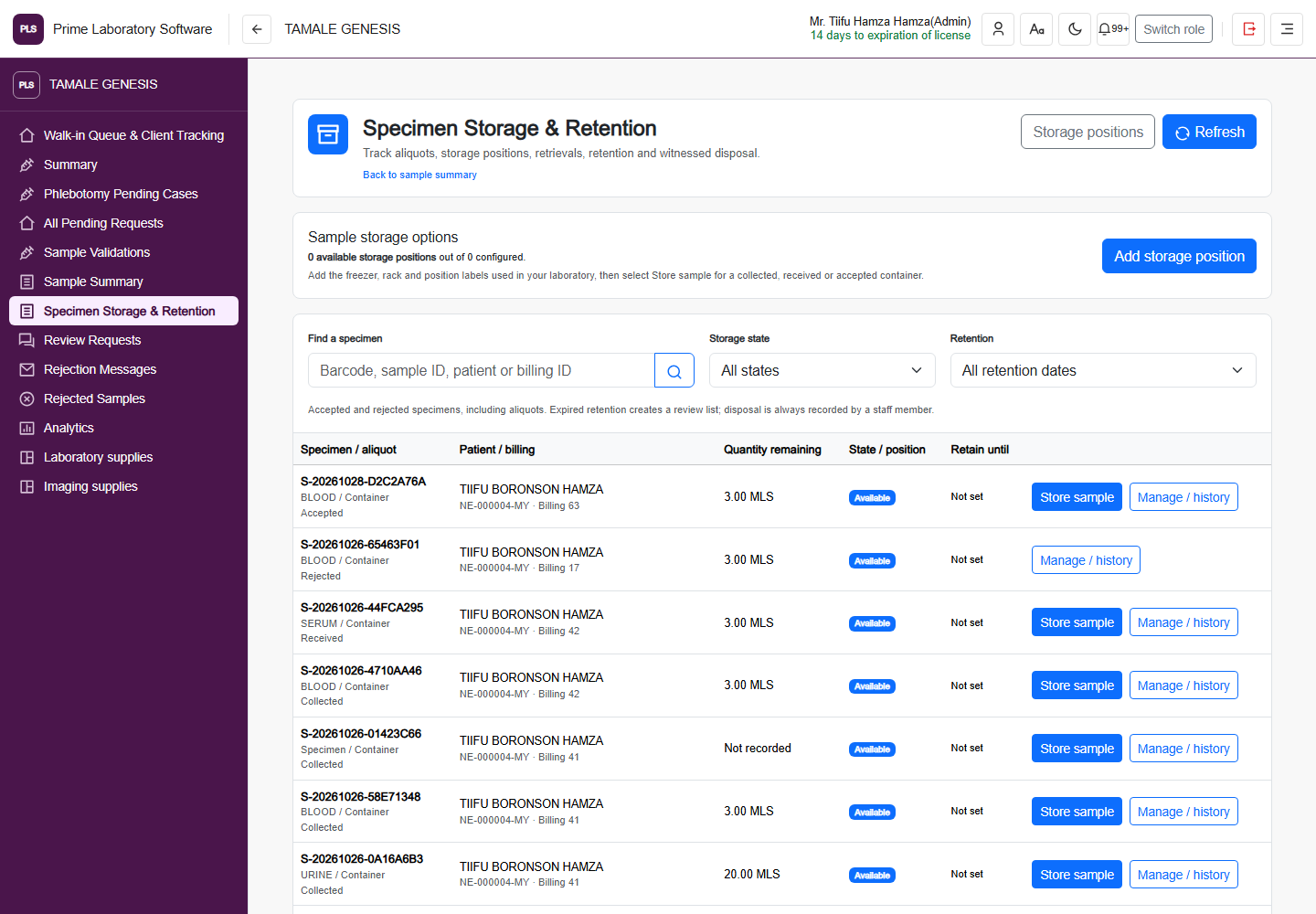
Full PLS demo software page: Specimen storage, including the original application header and navigation
Specimen storage

Specimen Storage & Retention

The specimen storage workspace with retention, location and specimen lookup controls.

  • Look up stored specimens
  • Review storage and retention records
  • Follow configured specimen storage actions
Captured from the current, customer-confirmed PLS demo facility on 1 November 2026. The application header, navigation, page content and displayed demo values are retained. This is a software page capture, not a redesigned illustration.
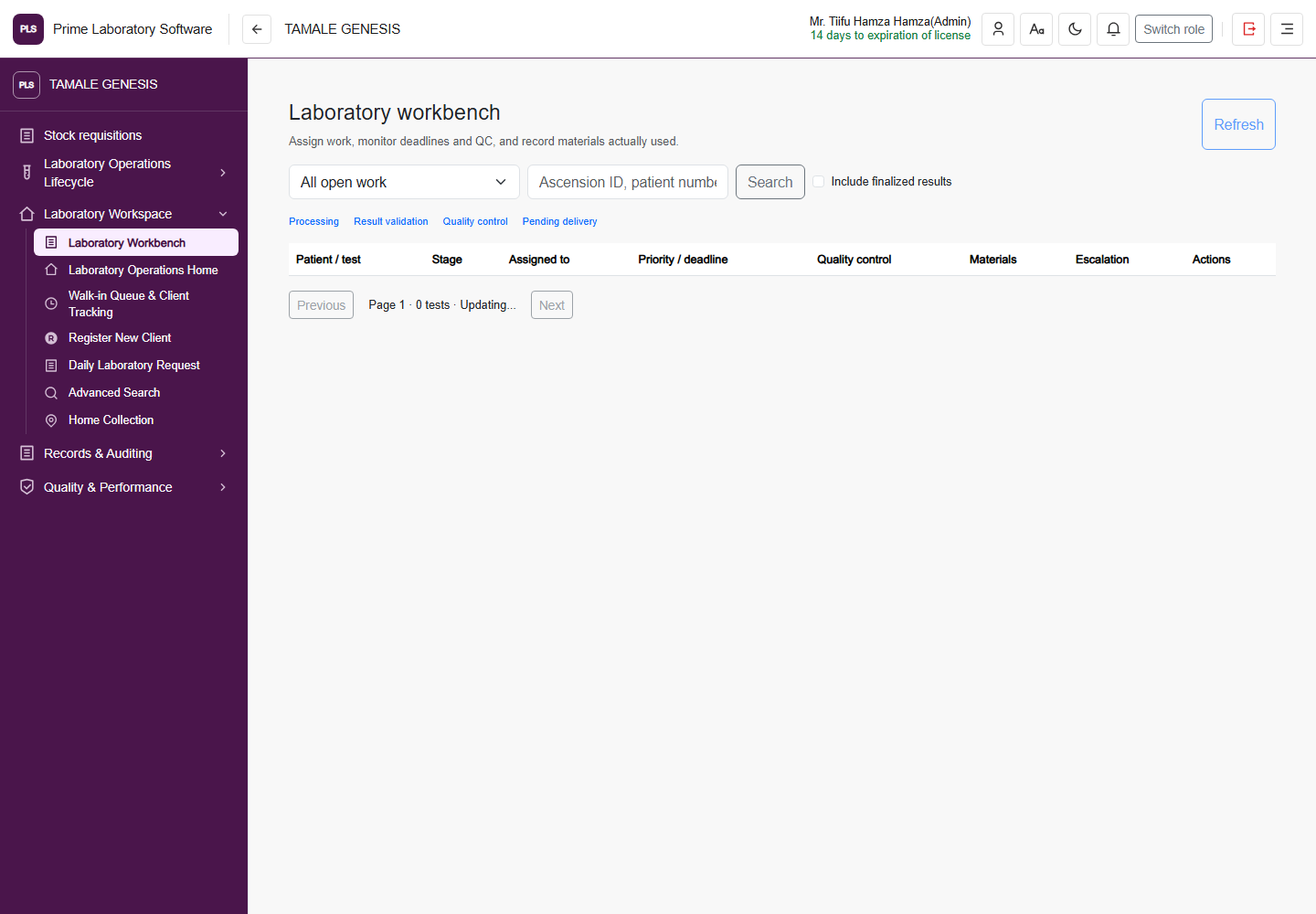
Full PLS demo software page: Laboratory workbench, including the original application header and navigation
Laboratory workbench

Laboratory workbench

The laboratory's operational workbench, shown with its own navigation and current demo workspace.

  • Review laboratory work in its operational context
  • Navigate specimen and processing stages
  • Use the configured laboratory workspace
Captured from the current, customer-confirmed PLS demo facility on 1 November 2026. The application header, navigation, page content and displayed demo values are retained. This is a software page capture, not a redesigned illustration.
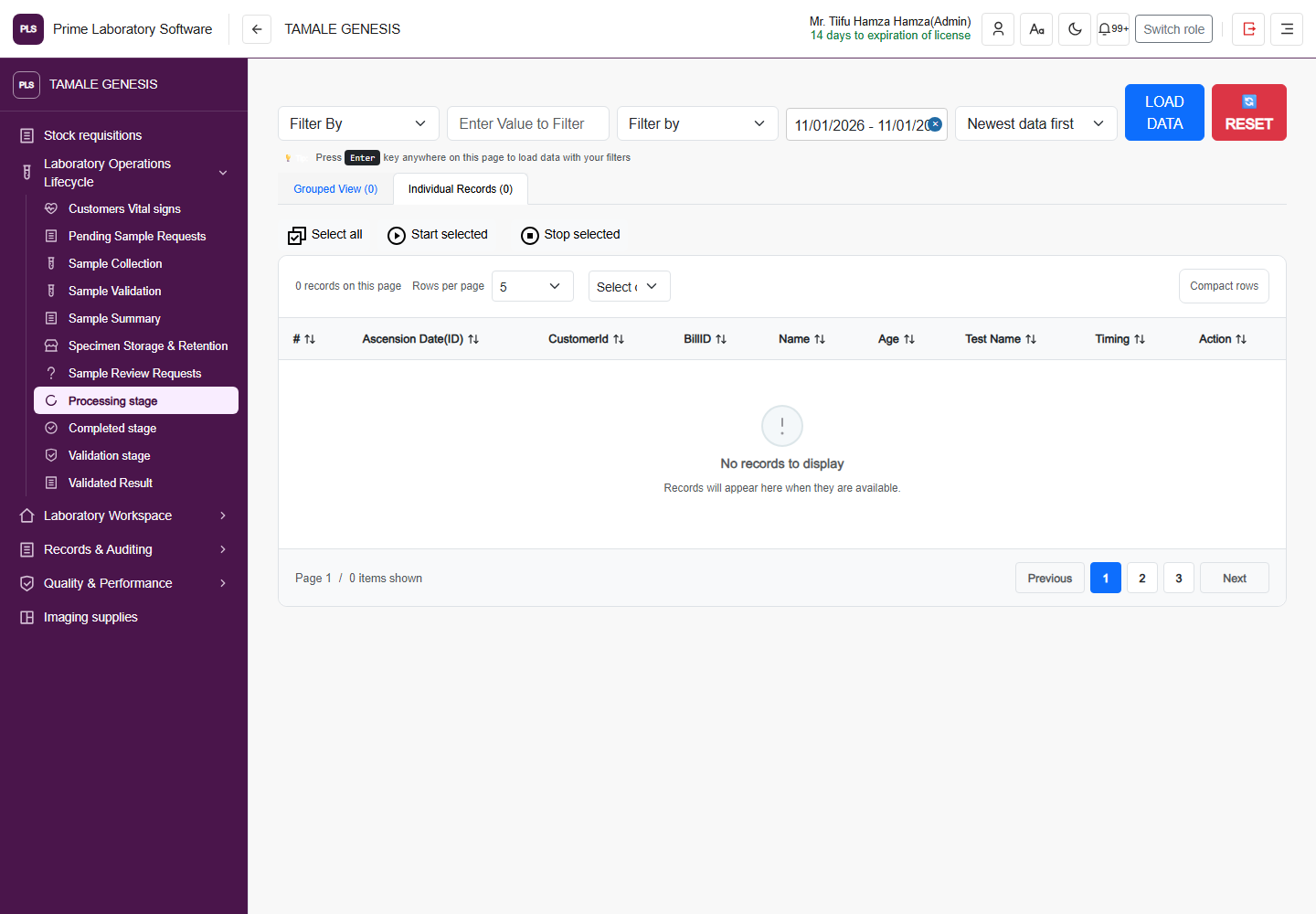
Full PLS demo software page: Laboratory processing, including the original application header and navigation
Laboratory processing

Processing stage

The processing page with its real date and record filters, grouped or individual views, and start/stop actions.

  • Filter the processing queue
  • Switch grouped and individual records
  • Start or stop selected processing work
Captured from the current, customer-confirmed PLS demo facility on 1 November 2026. The application header, navigation, page content and displayed demo values are retained. This is a software page capture, not a redesigned illustration.
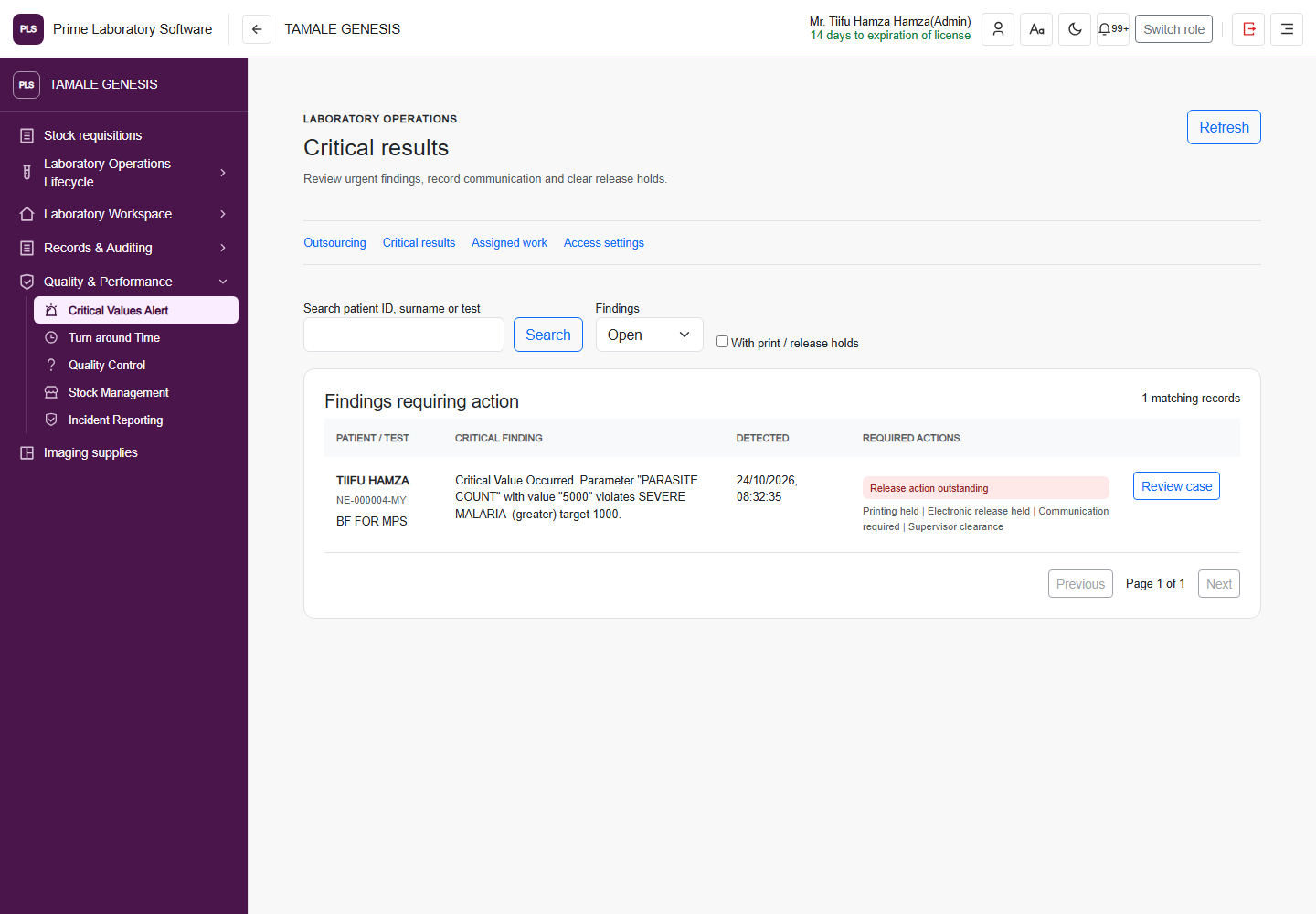
Full PLS demo software page: Critical results, including the original application header and navigation
Critical results

Critical results

The current critical-result workspace for recorded alerts and follow-up work.

  • Review critical-result records
  • Follow recorded critical actions
  • Use the configured alert workflow
Captured from the current, customer-confirmed PLS demo facility on 1 November 2026. The application header, navigation, page content and displayed demo values are retained. This is a software page capture, not a redesigned illustration.
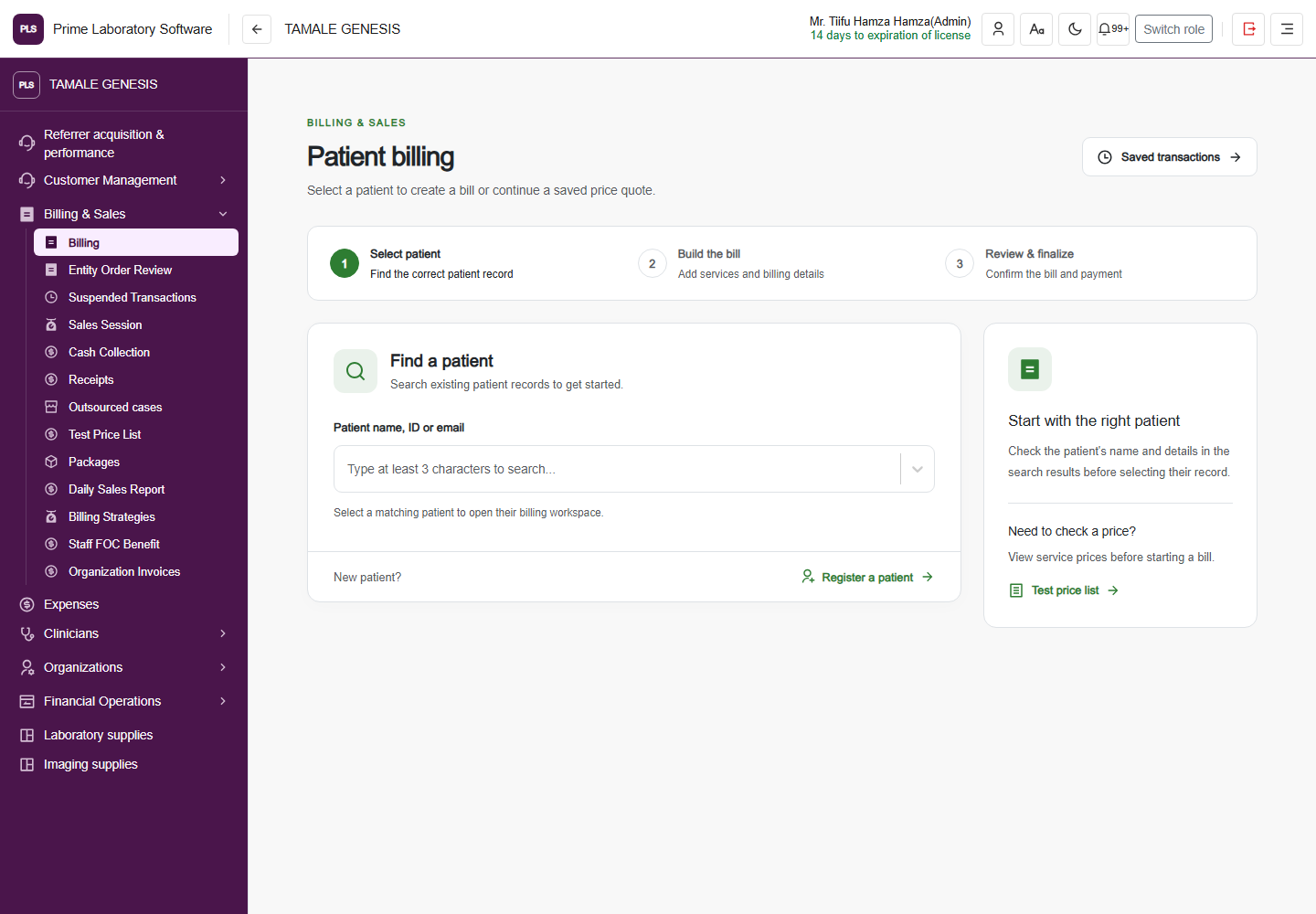
Full PLS demo software page: Patient billing, including the original application header and navigation
Patient billing

Patient billing

The actual laboratory billing workspace, including its navigation, patient selection and billing controls.

  • Find the patient billing record
  • Review laboratory charges and collections
  • Use the facility's configured billing workflow
Captured from the current, customer-confirmed PLS demo facility on 1 November 2026. The application header, navigation, page content and displayed demo values are retained. This is a software page capture, not a redesigned illustration.
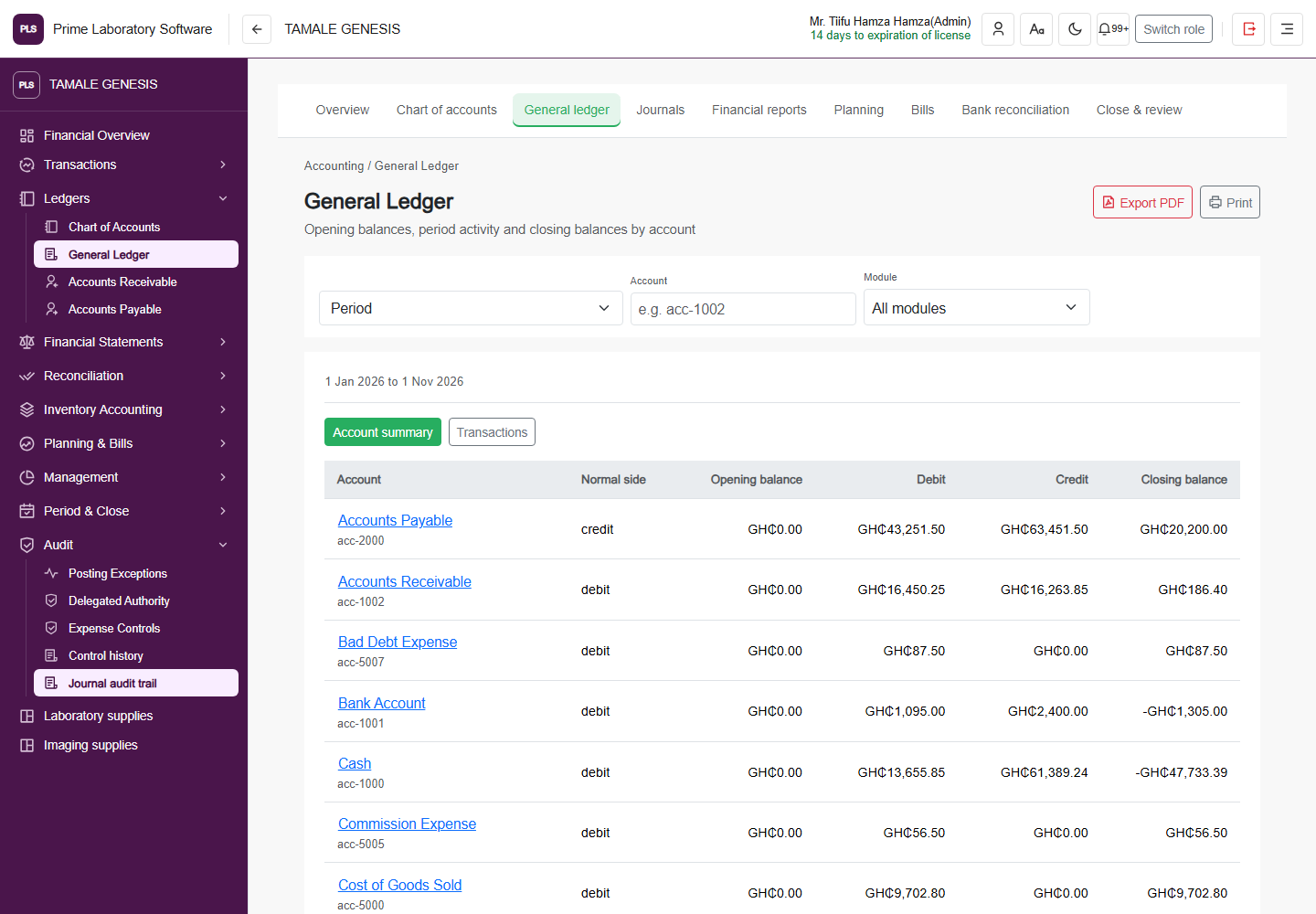
Full PLS demo software page: General ledger, including the original application header and navigation
General ledger

General Ledger

The ledger page with period and account filters, balances, module selection, export and print actions.

  • Review opening and closing account balances
  • Filter ledger activity by period and module
  • Export or print the displayed report
Captured from the current, customer-confirmed PLS demo facility on 1 November 2026. The application header, navigation, page content and displayed demo values are retained. This is a software page capture, not a redesigned illustration.
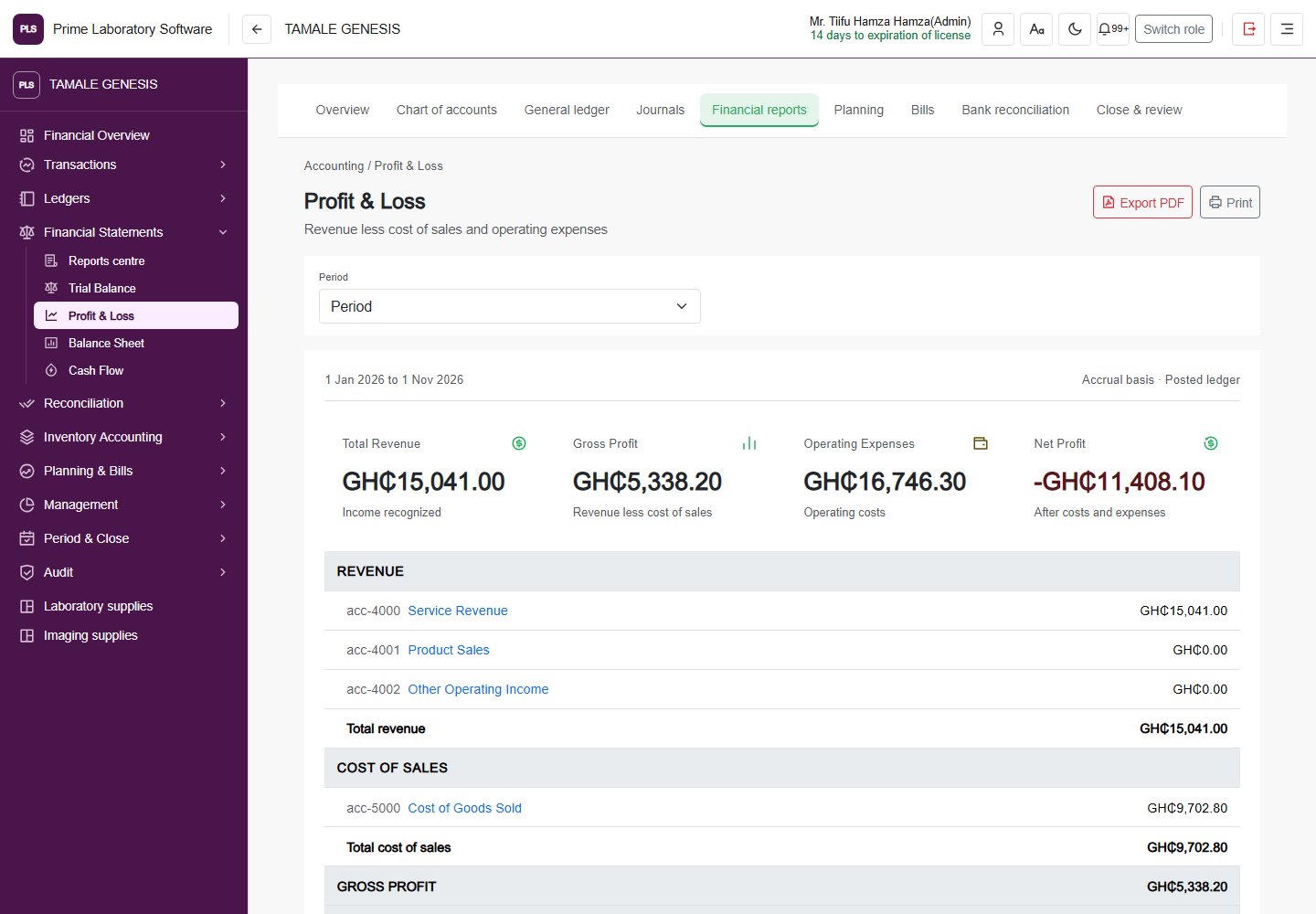
Full PLS demo software page: Income statement, including the original application header and navigation
Income statement

Profit & Loss

The financial statement page as it appears in the demo software.

  • Review recorded income and expenses
  • Use the statement's period controls
  • Print or export the financial view
Captured from the current, customer-confirmed PLS demo facility on 1 November 2026. The application header, navigation, page content and displayed demo values are retained. This is a software page capture, not a redesigned illustration.
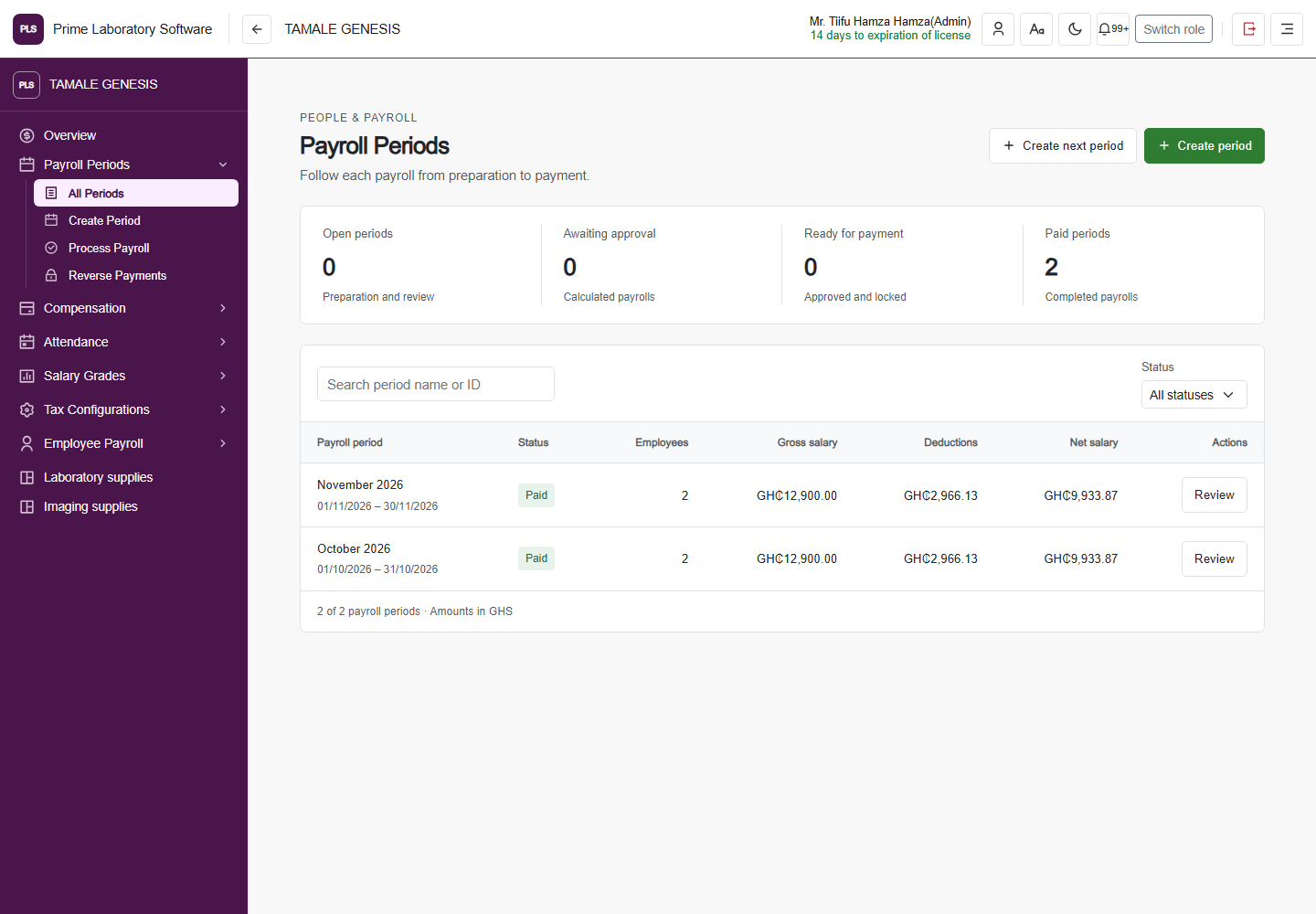
Full PLS demo software page: Payroll periods, including the original application header and navigation
Payroll periods

Payroll Periods

The payroll period workspace with the current software's status, navigation and period actions.

  • Review payroll cycles and their status
  • Navigate period creation and processing
  • Follow the configured payroll-period workflow
Captured from the current, customer-confirmed PLS demo facility on 1 November 2026. The application header, navigation, page content and displayed demo values are retained. This is a software page capture, not a redesigned illustration.
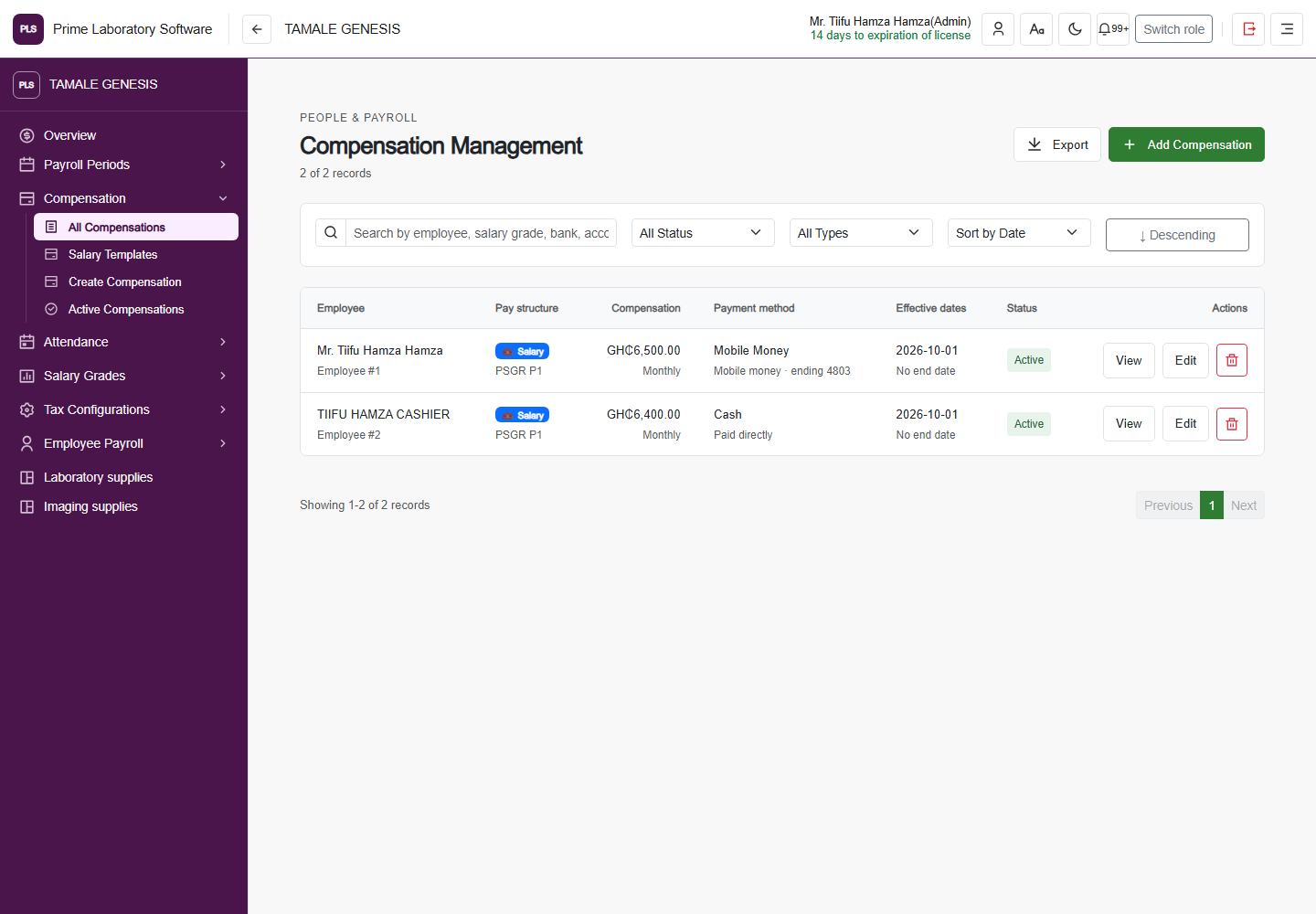
Full PLS demo software page: Staff compensation, including the original application header and navigation
Staff compensation

Compensation Management

The staff compensation workspace, unchanged from the current demo facility.

  • Review staff compensation records
  • Manage configured compensation entries
  • Keep compensation linked to payroll operations
Captured from the current, customer-confirmed PLS demo facility on 1 November 2026. The application header, navigation, page content and displayed demo values are retained. This is a software page capture, not a redesigned illustration.
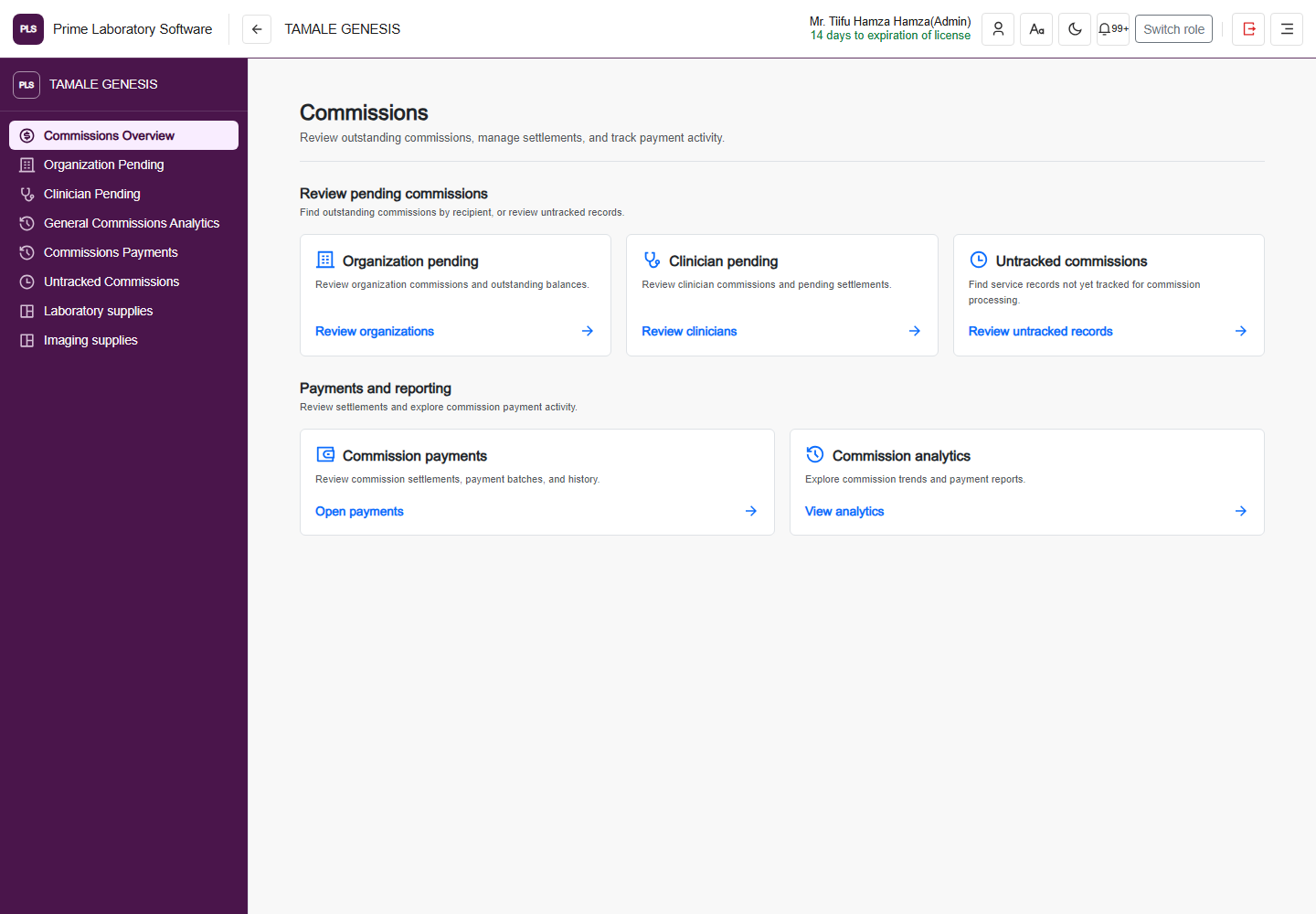
Full PLS demo software page: Commissions, including the original application header and navigation
Commissions

Commissions

The referral commission workspace and its real links to pending records, information and payments.

  • Review clinician and organization commissions
  • Navigate commission records and batches
  • Follow recorded commission payments
Captured from the current, customer-confirmed PLS demo facility on 1 November 2026. The application header, navigation, page content and displayed demo values are retained. This is a software page capture, not a redesigned illustration.
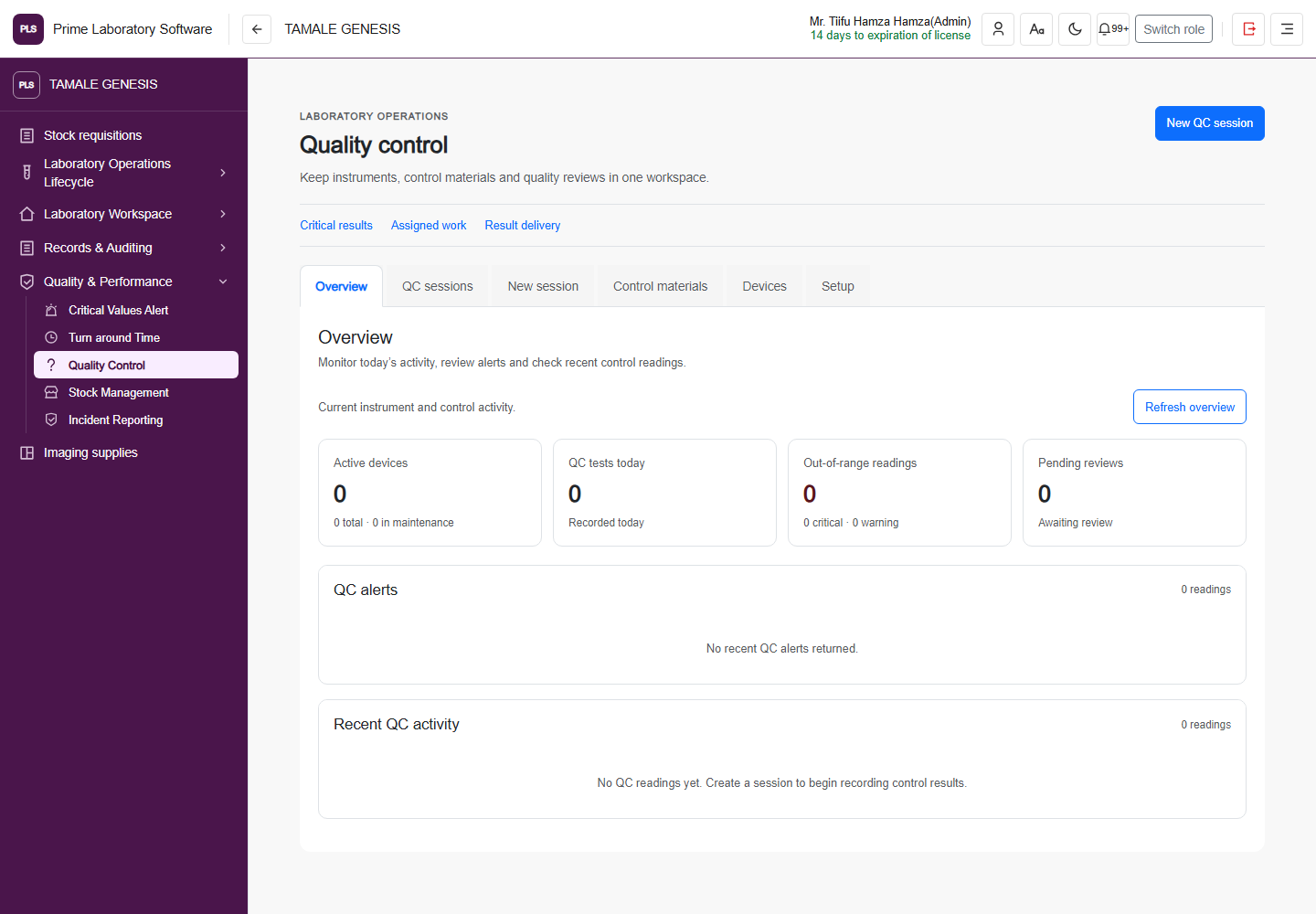
Full PLS demo software page: Quality control, including the original application header and navigation
Quality control

Quality control

The actual quality-control workspace with its current session, control and review surfaces.

  • Review configured control records
  • Follow QC sessions and readings
  • Use the facility's quality-control review workflow
Captured from the current, customer-confirmed PLS demo facility on 1 November 2026. The application header, navigation, page content and displayed demo values are retained. This is a software page capture, not a redesigned illustration.
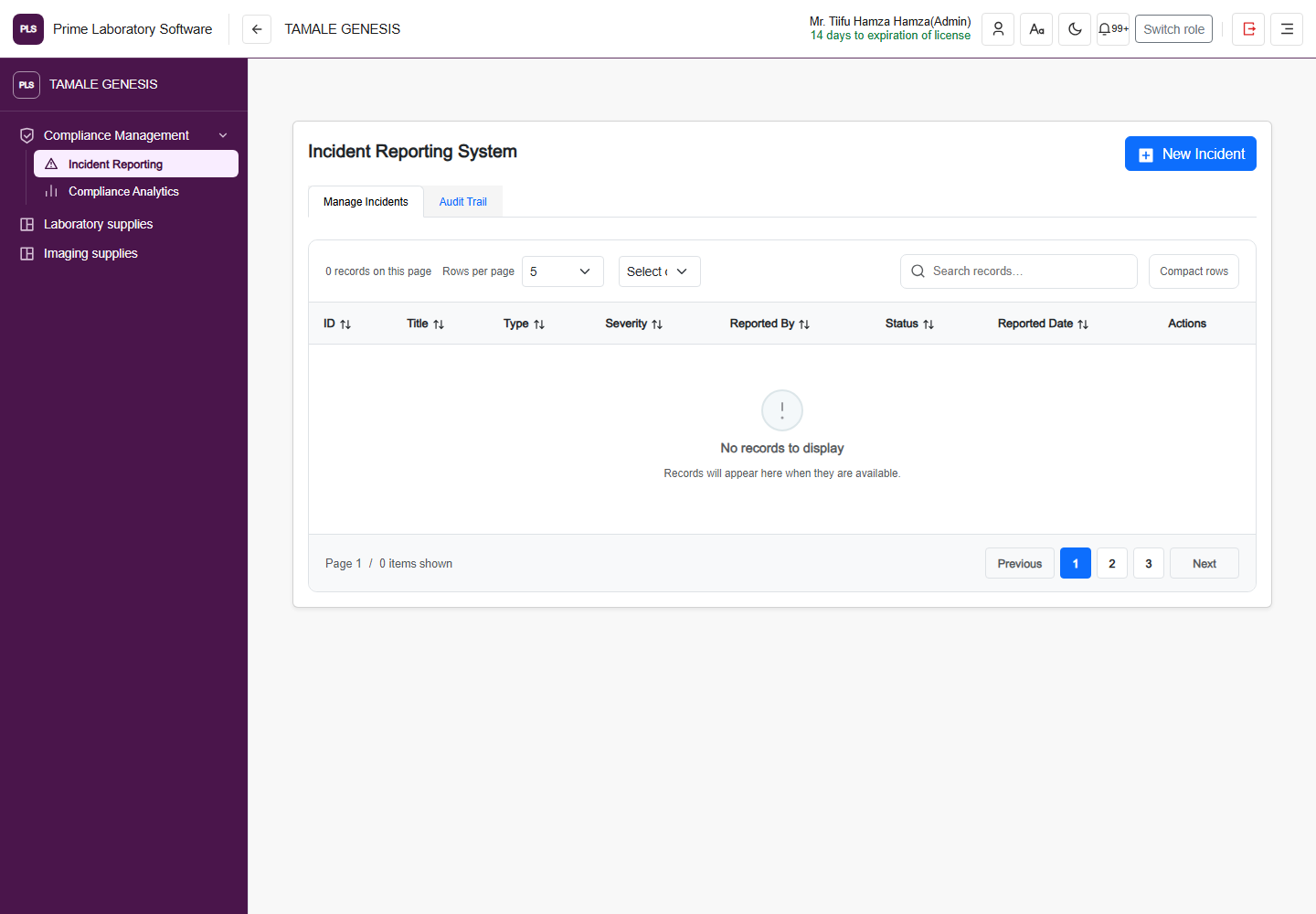
Full PLS demo software page: Incident reporting, including the original application header and navigation
Incident reporting

Incident Reporting System

The current incident reporting page and its original reporting controls.

  • Record supported incident categories
  • Review incident reporting information
  • Follow the facility's incident workflow
Captured from the current, customer-confirmed PLS demo facility on 1 November 2026. The application header, navigation, page content and displayed demo values are retained. This is a software page capture, not a redesigned illustration.
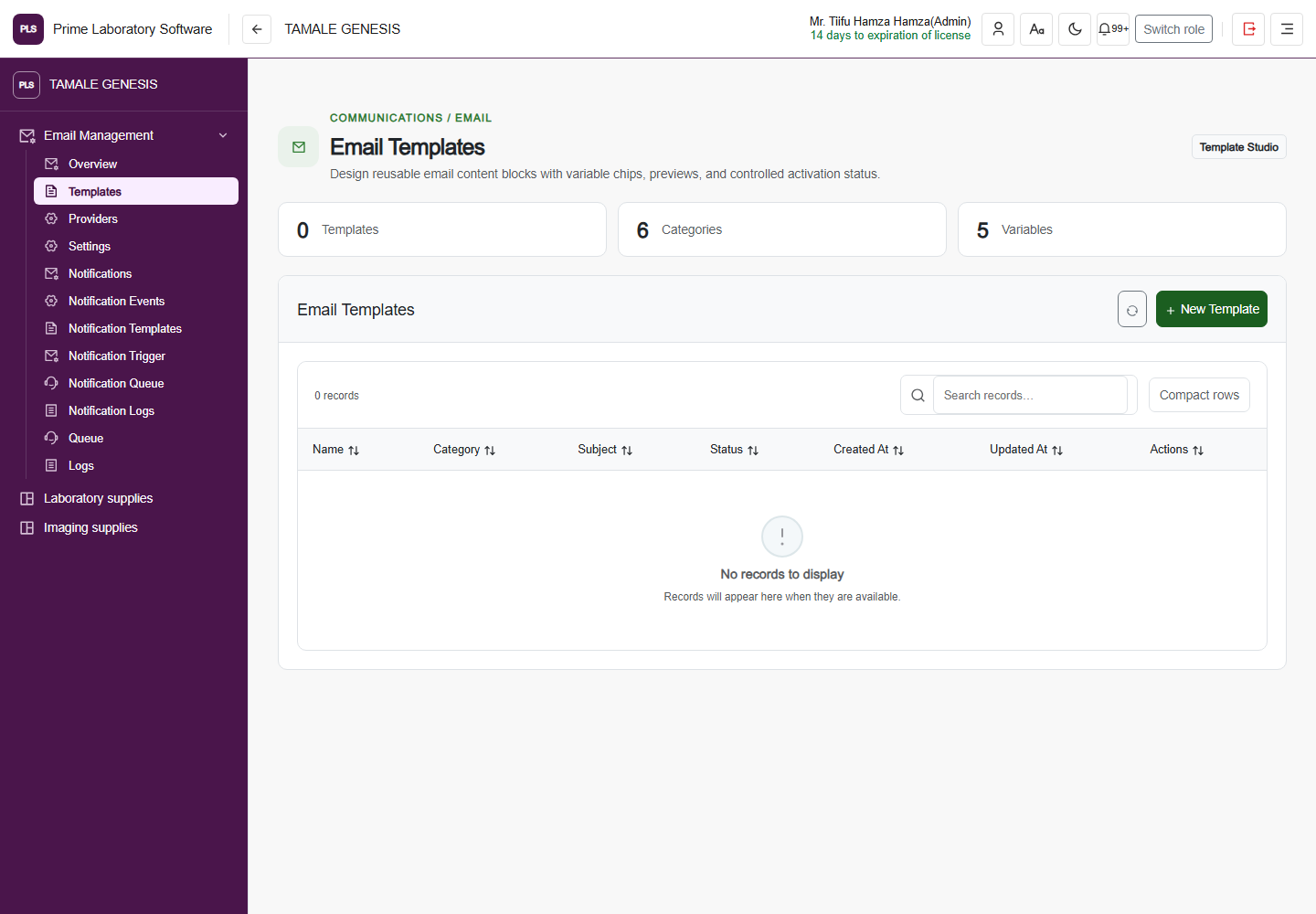
Full PLS demo software page: Email templates, including the original application header and navigation
Email templates

Email Templates

The email template workspace used to organize the software's configured communications.

  • Review communication templates
  • Manage configured email content
  • Use the email-service workspace
Captured from the current, customer-confirmed PLS demo facility on 1 November 2026. The application header, navigation, page content and displayed demo values are retained. This is a software page capture, not a redesigned illustration.
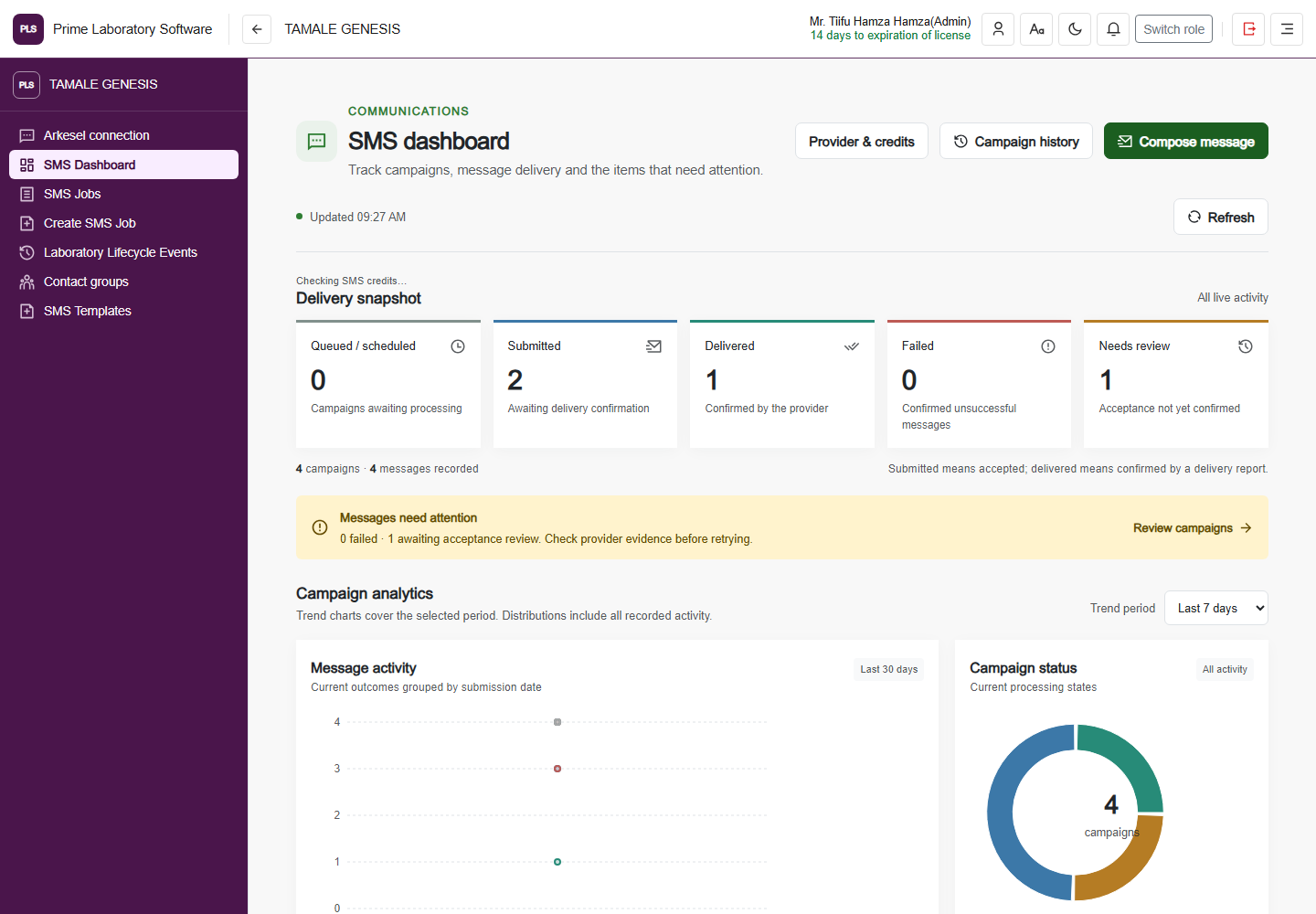
Full PLS demo software page: SMS dashboard, including the original application header and navigation
SMS dashboard

SMS dashboard

The current SMS workspace with its recorded job and delivery indicators.

  • Review SMS activity
  • Navigate message jobs and templates
  • Follow configured provider-backed communications
Captured from the current, customer-confirmed PLS demo facility on 1 November 2026. The application header, navigation, page content and displayed demo values are retained. This is a software page capture, not a redesigned illustration.
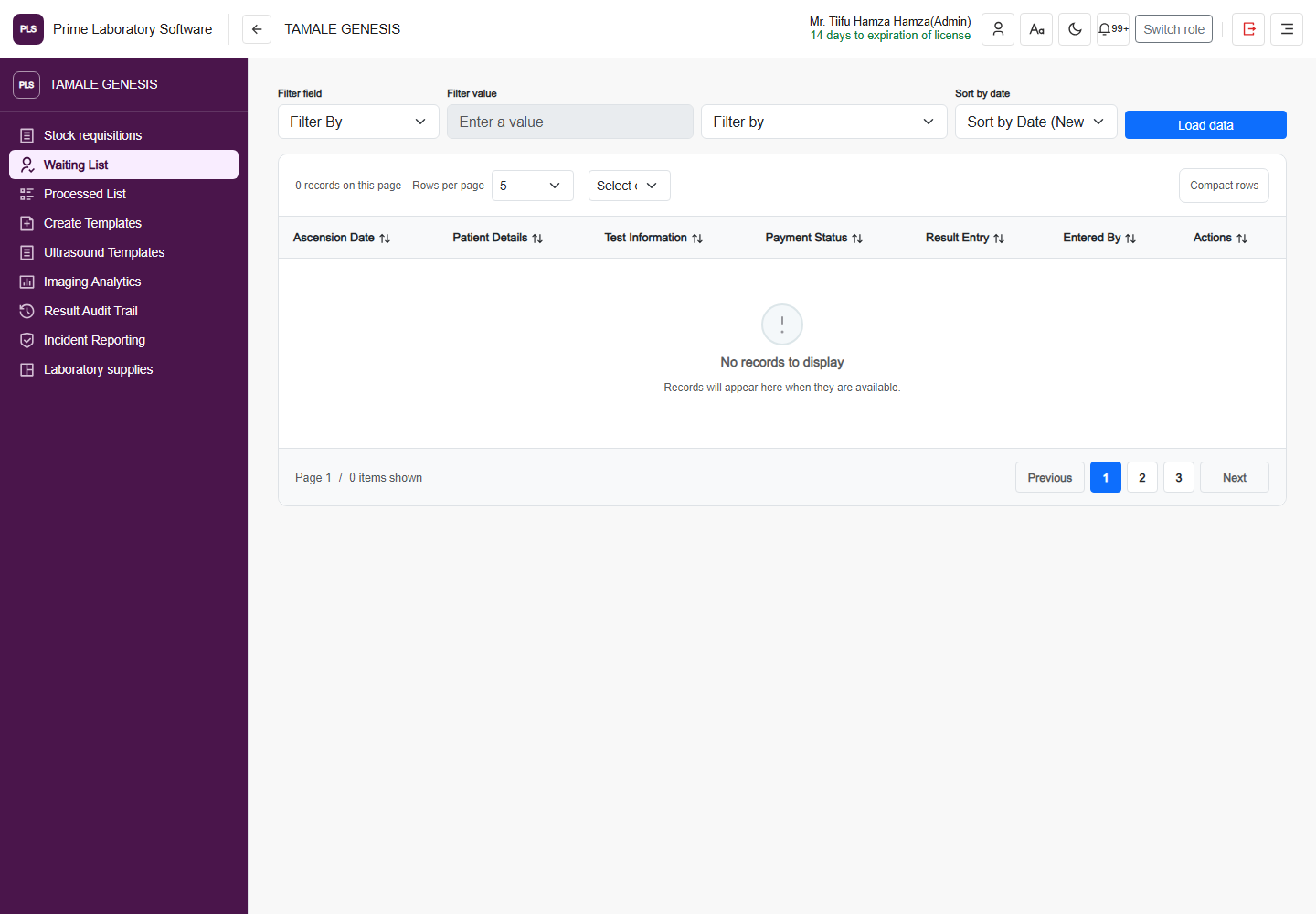
Full PLS demo software page: Ultrasound, including the original application header and navigation
Ultrasound

Ultrasound workflow

The actual ultrasound operations page, including its original clinical navigation.

  • Review pending ultrasound work
  • Navigate configured imaging report workflows
  • Use the ultrasound operation's existing controls
Captured from the current, customer-confirmed PLS demo facility on 1 November 2026. The application header, navigation, page content and displayed demo values are retained. This is a software page capture, not a redesigned illustration.
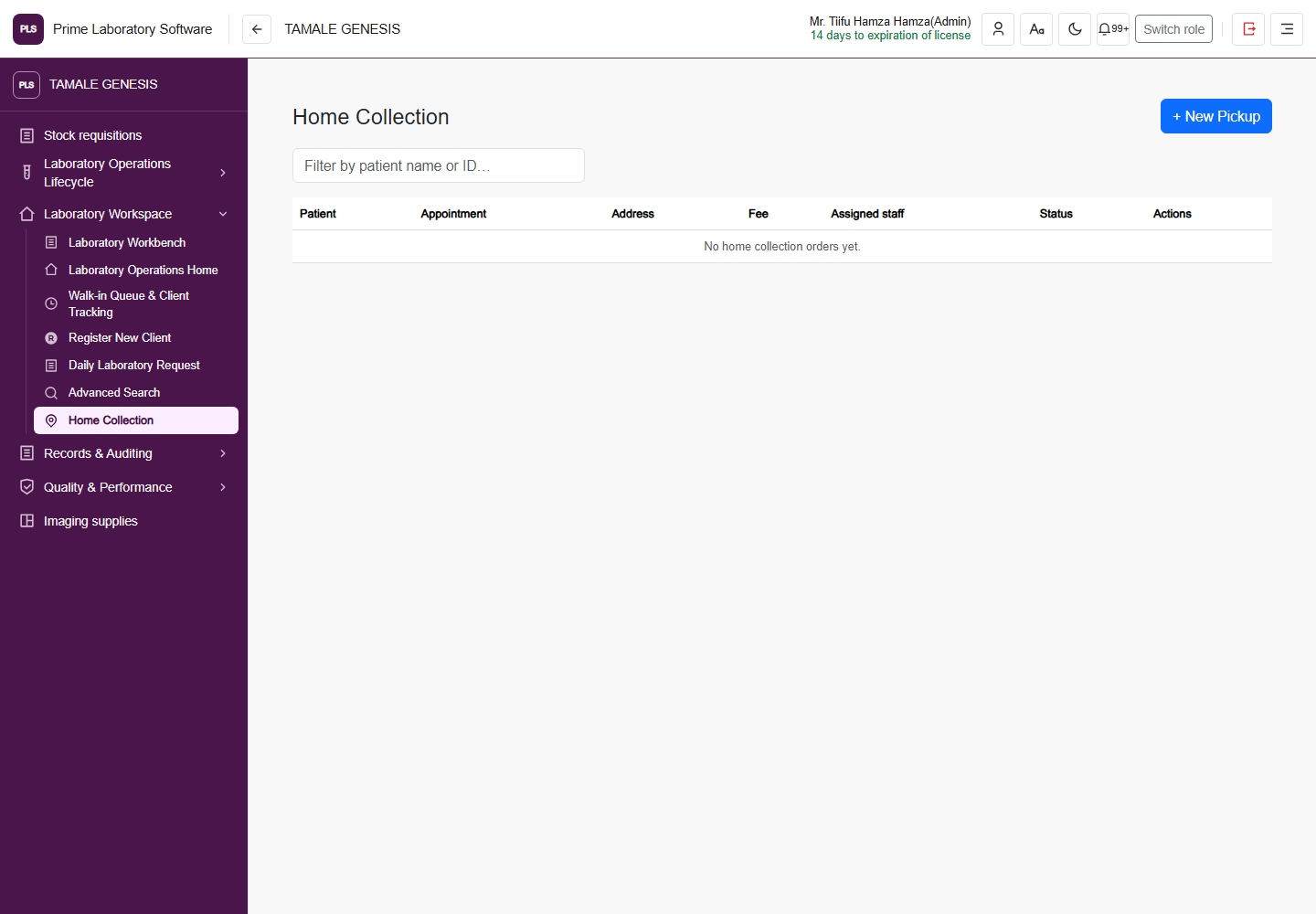
Full PLS demo software page: Home collection, including the original application header and navigation
Home collection

Home Collection

The current home-collection page for coordinating the facility's collection operations.

  • Review home-collection work
  • Coordinate configured assignments and statuses
  • Use the existing service-area and order workflow
Captured from the current, customer-confirmed PLS demo facility on 1 November 2026. The application header, navigation, page content and displayed demo values are retained. This is a software page capture, not a redesigned illustration.
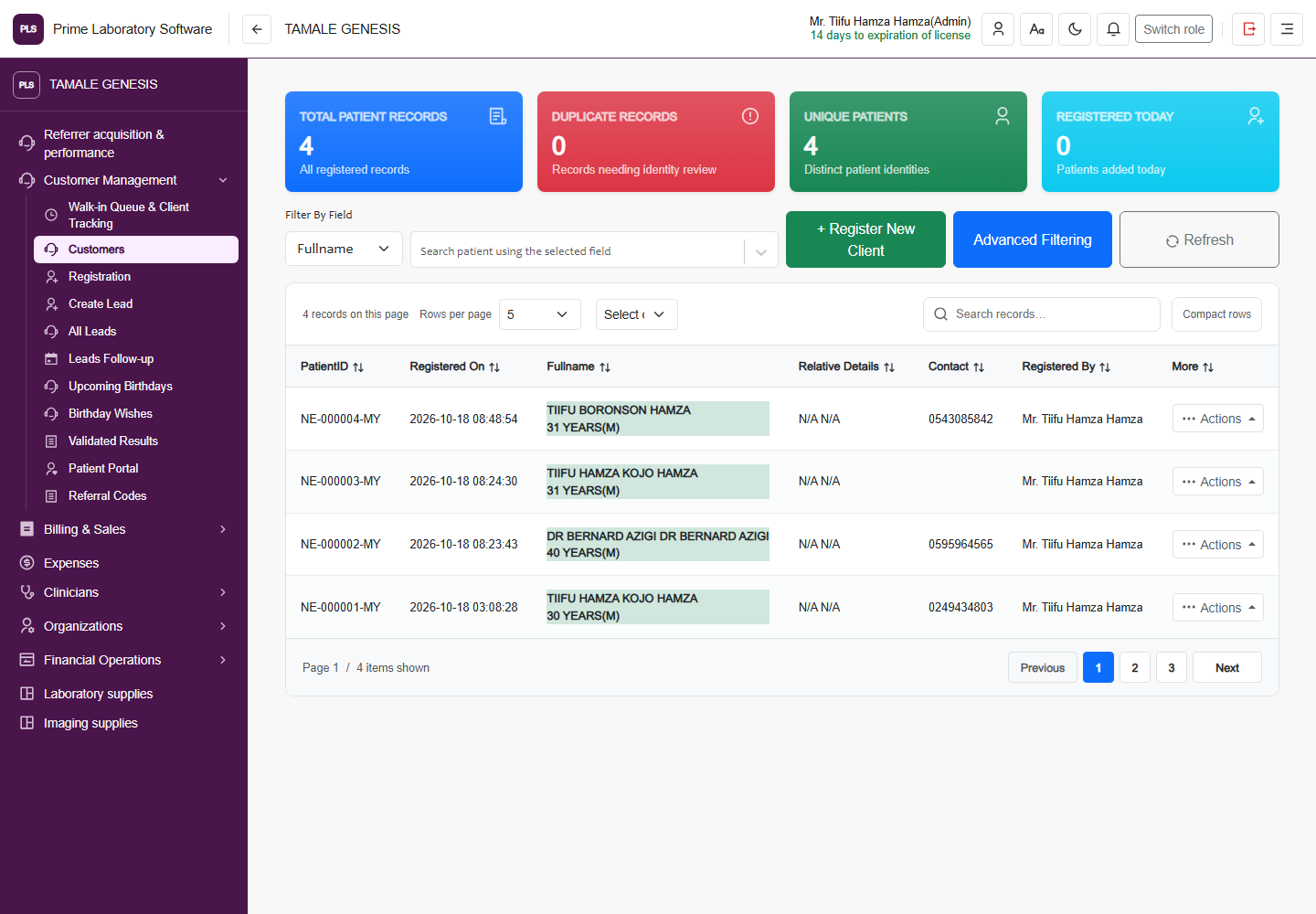
Full PLS demo software page: Customer management, including the original application header and navigation
Customer management

Customers

The real customer workspace with its filters, records and customer-management navigation.

  • Find customer records
  • Review customer-management activity
  • Navigate registration and follow-up workflows
Captured from the current, customer-confirmed PLS demo facility on 1 November 2026. The application header, navigation, page content and displayed demo values are retained. This is a software page capture, not a redesigned illustration.
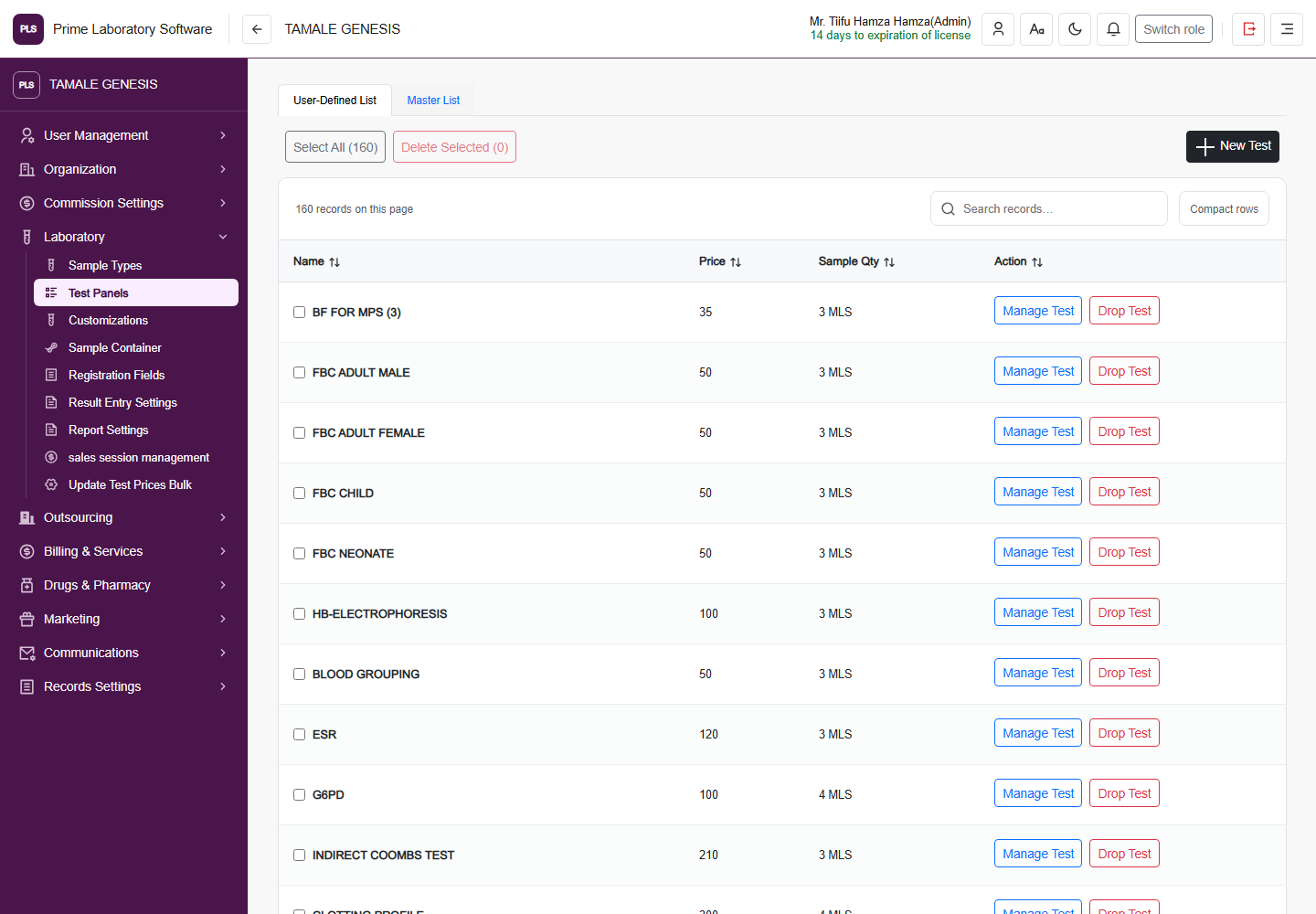
Full PLS demo software page: Test catalog, including the original application header and navigation
Test catalog

Test catalog

The actual test-list page used to review the laboratory's configured investigation catalog.

  • Review configured laboratory investigations
  • Navigate test and panel settings
  • Use the facility's catalog controls
Captured from the current, customer-confirmed PLS demo facility on 1 November 2026. The application header, navigation, page content and displayed demo values are retained. This is a software page capture, not a redesigned illustration.
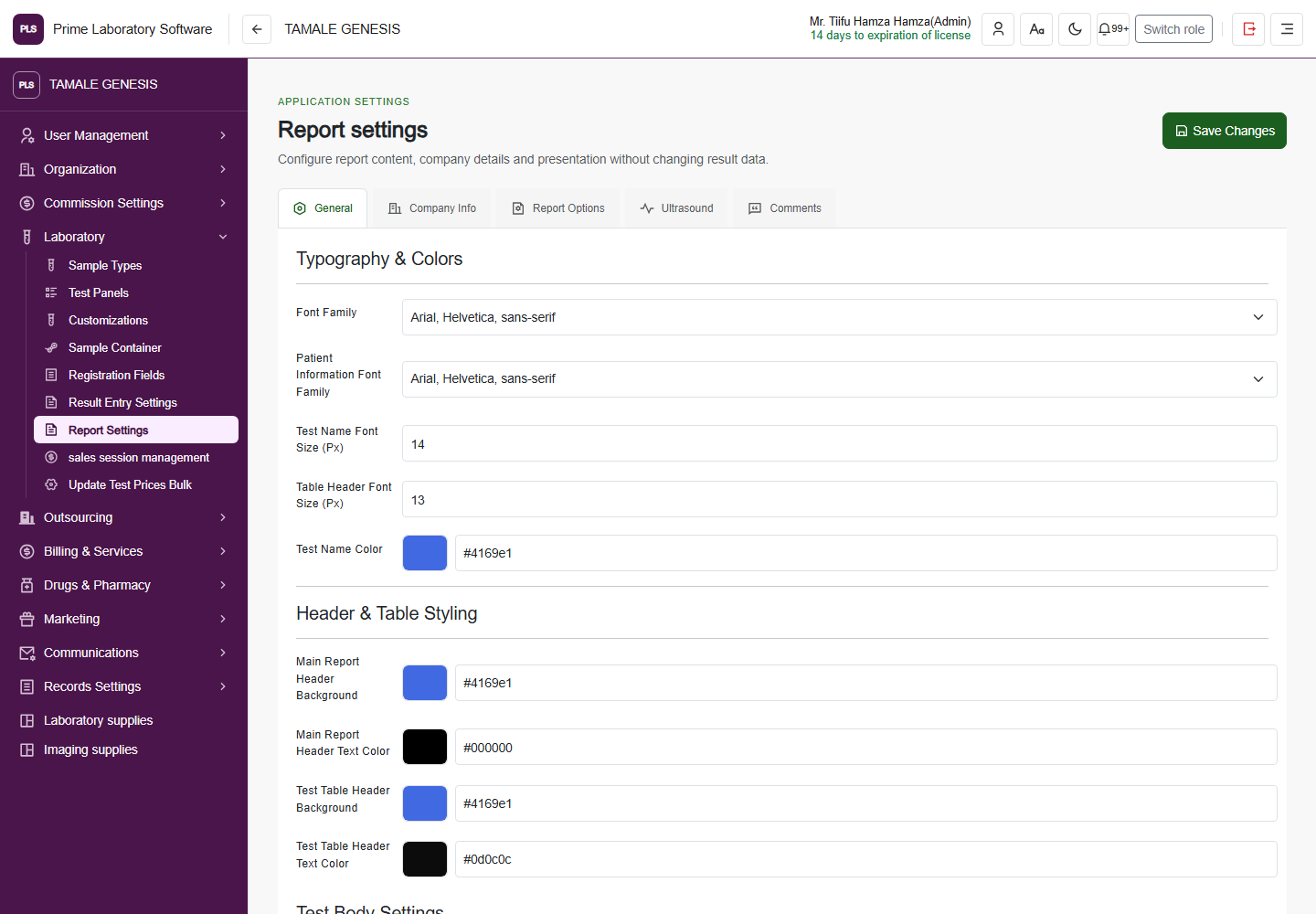
Full PLS demo software page: Report settings, including the original application header and navigation
Report settings

Report settings

The report settings page with the software's real layout and report-presentation controls.

  • Review report presentation settings
  • Configure available report preferences
  • Use the facility's existing report configuration
Captured from the current, customer-confirmed PLS demo facility on 1 November 2026. The application header, navigation, page content and displayed demo values are retained. This is a software page capture, not a redesigned illustration.
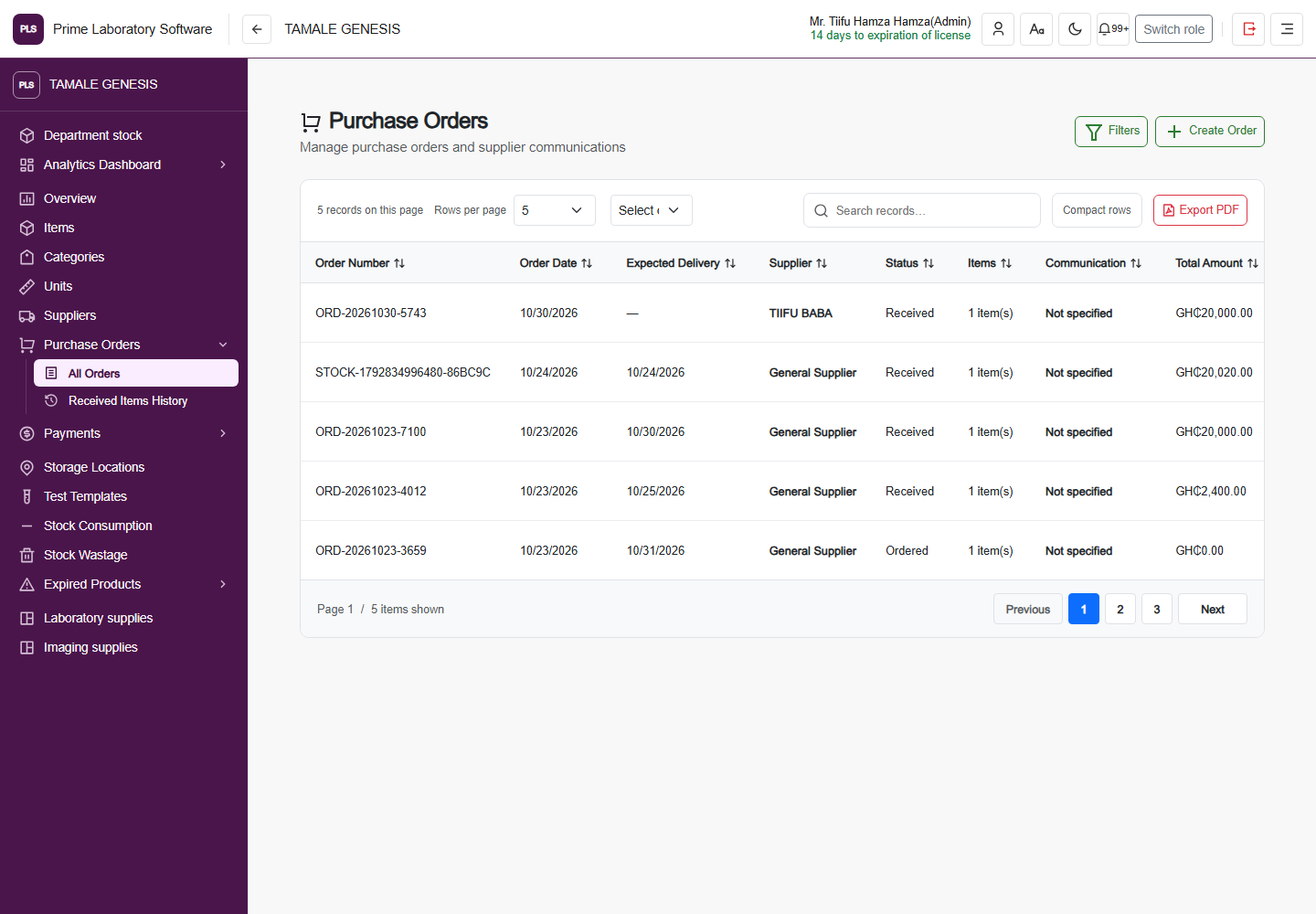
Full PLS demo software page: Purchase orders, including the original application header and navigation
Purchase orders

Purchase Orders

The laboratory purchasing page with its actual order list and purchase-order controls.

  • Review purchase orders
  • Navigate purchase-order creation and review
  • Follow recorded purchasing activity
Captured from the current, customer-confirmed PLS demo facility on 1 November 2026. The application header, navigation, page content and displayed demo values are retained. This is a software page capture, not a redesigned illustration.
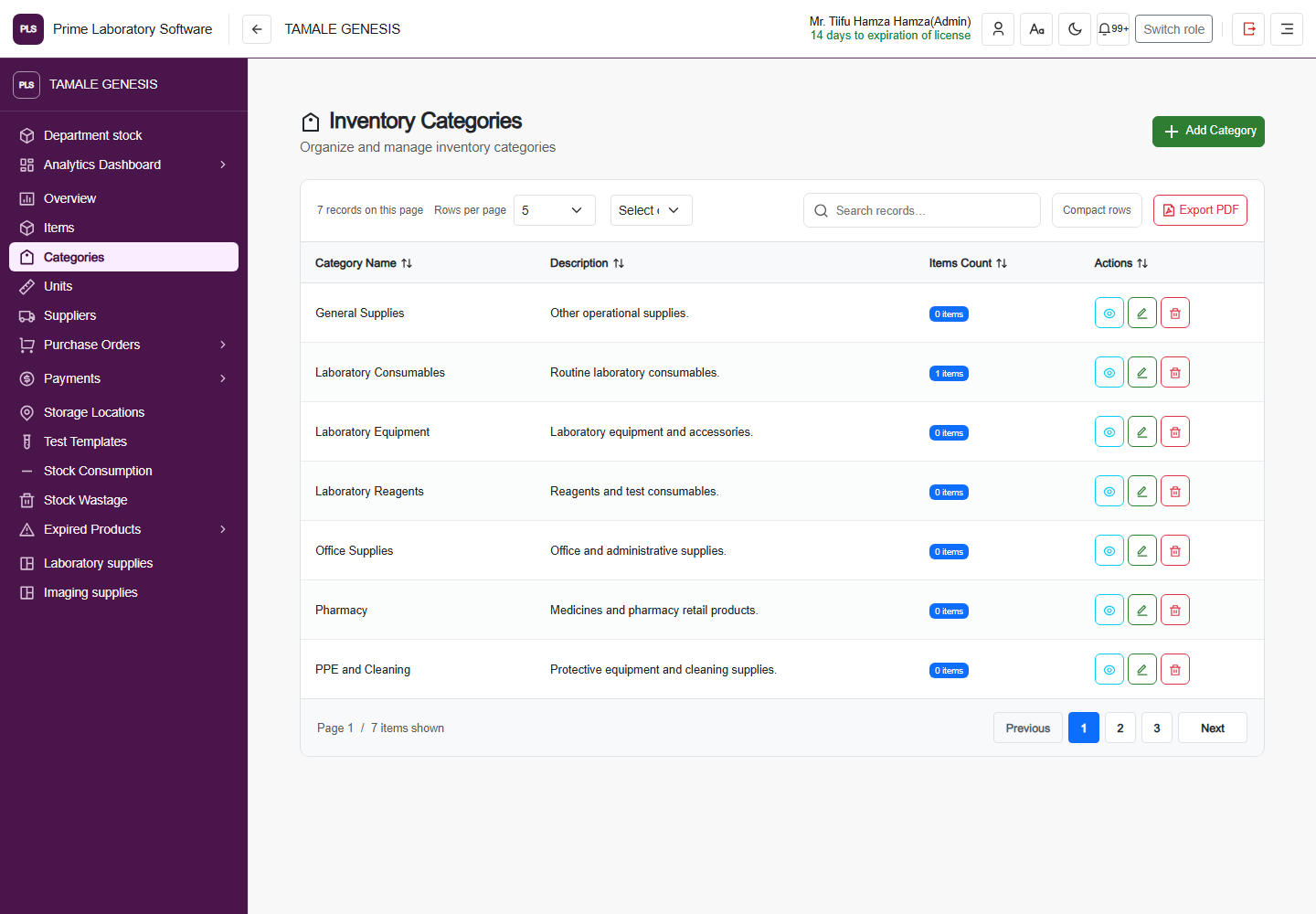
Full PLS demo software page: Inventory categories, including the original application header and navigation
Inventory categories

Inventory Categories

The current inventory category page and its original classification controls.

  • Organize laboratory inventory categories
  • Review category records
  • Navigate the inventory catalog
Captured from the current, customer-confirmed PLS demo facility on 1 November 2026. The application header, navigation, page content and displayed demo values are retained. This is a software page capture, not a redesigned illustration.
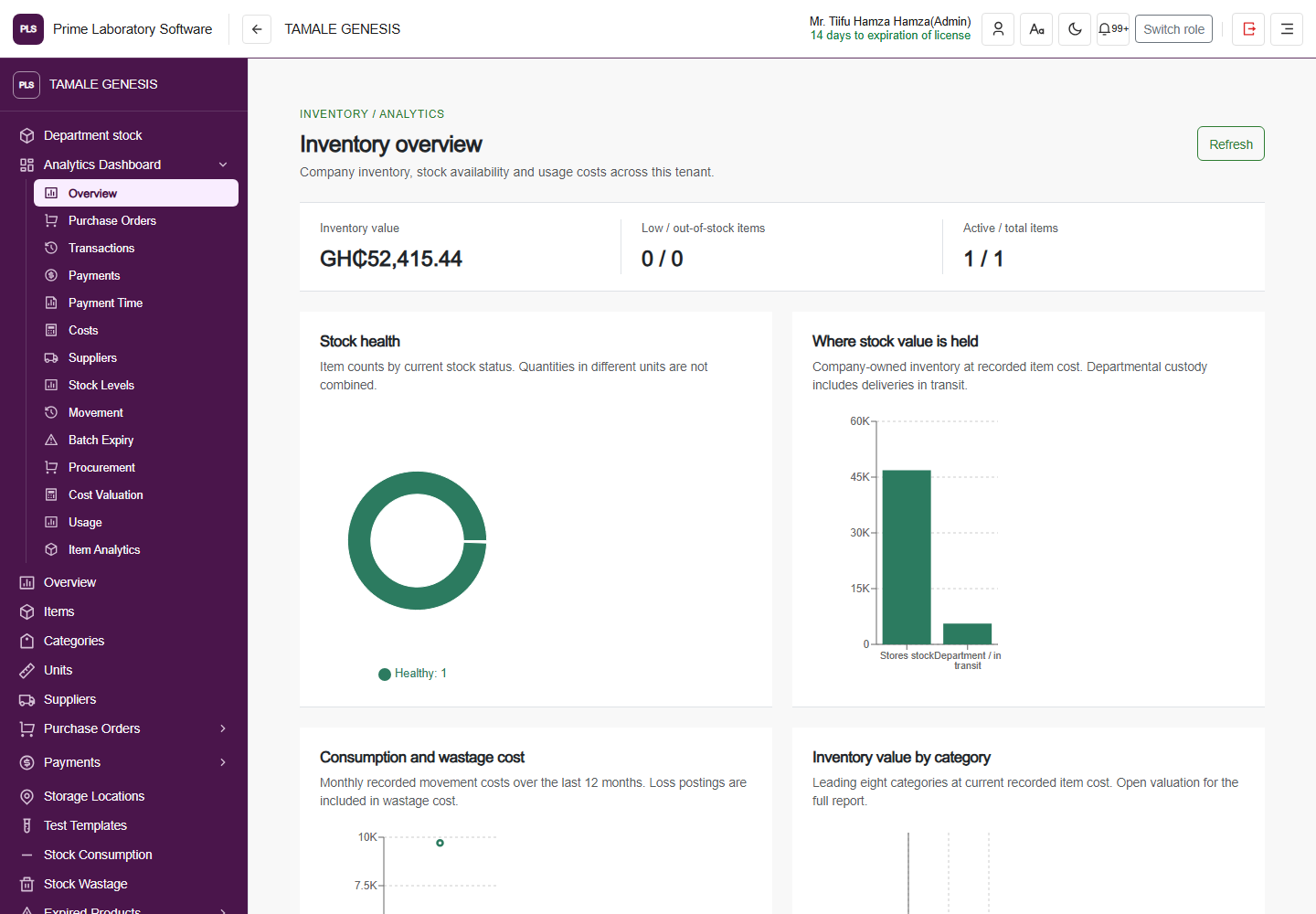
Full PLS demo software page: Inventory analytics, including the original application header and navigation
Inventory analytics

Inventory overview

The real inventory overview with its current stock and management-reporting surfaces.

  • Review stock-health indicators
  • Explore inventory value and movement views
  • Navigate detailed inventory reports
Captured from the current, customer-confirmed PLS demo facility on 1 November 2026. The application header, navigation, page content and displayed demo values are retained. This is a software page capture, not a redesigned illustration.
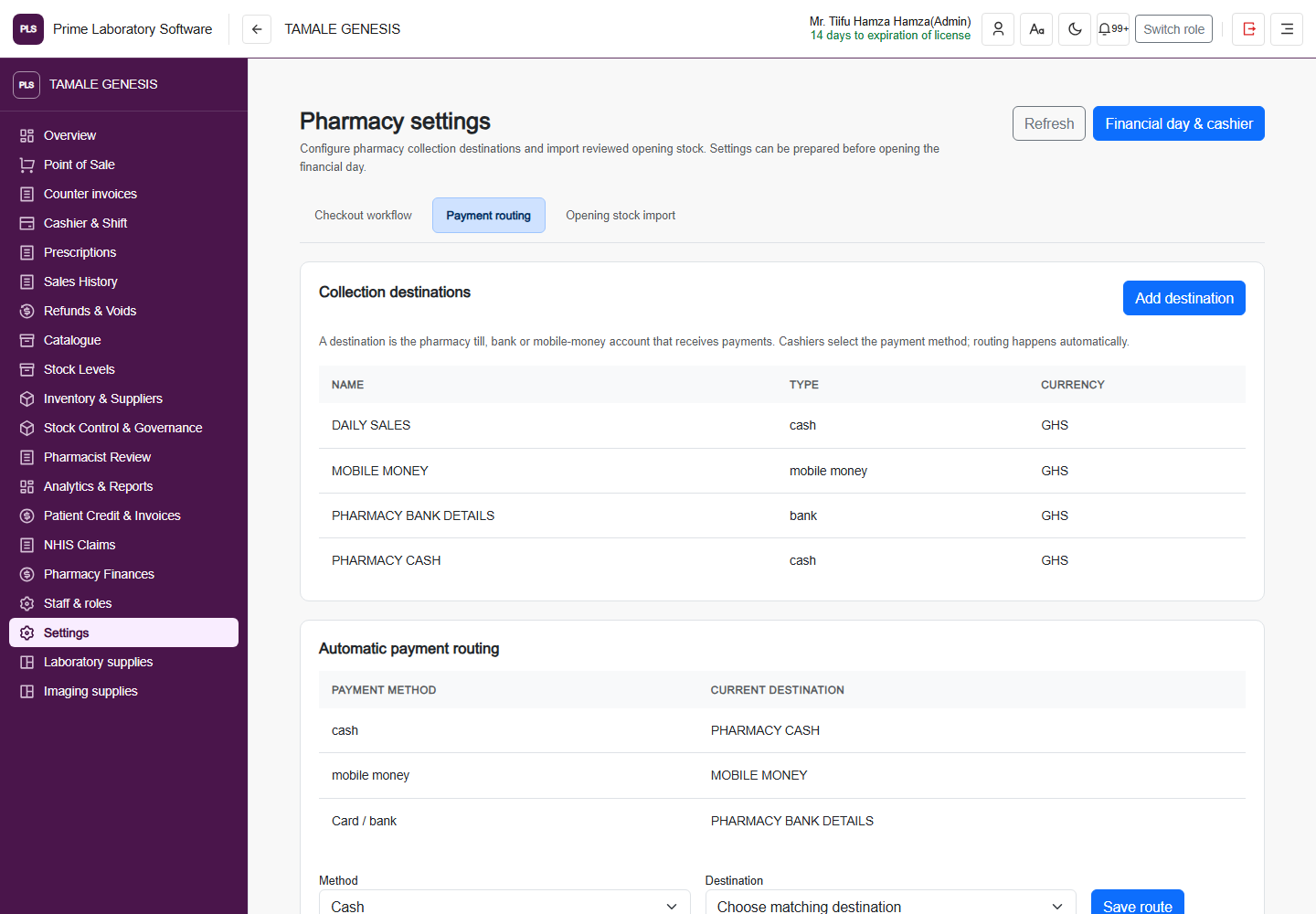
Full PLS demo software page: Pharmacy settings, including the original application header and navigation
Pharmacy settings

Pharmacy settings

The pharmacy's actual configuration workspace, kept separate from laboratory configuration.

  • Review pharmacy configuration
  • Navigate opening-stock and operating settings
  • Use pharmacy-specific controls
Captured from the current, customer-confirmed PLS demo facility on 1 November 2026. The application header, navigation, page content and displayed demo values are retained. This is a software page capture, not a redesigned illustration.
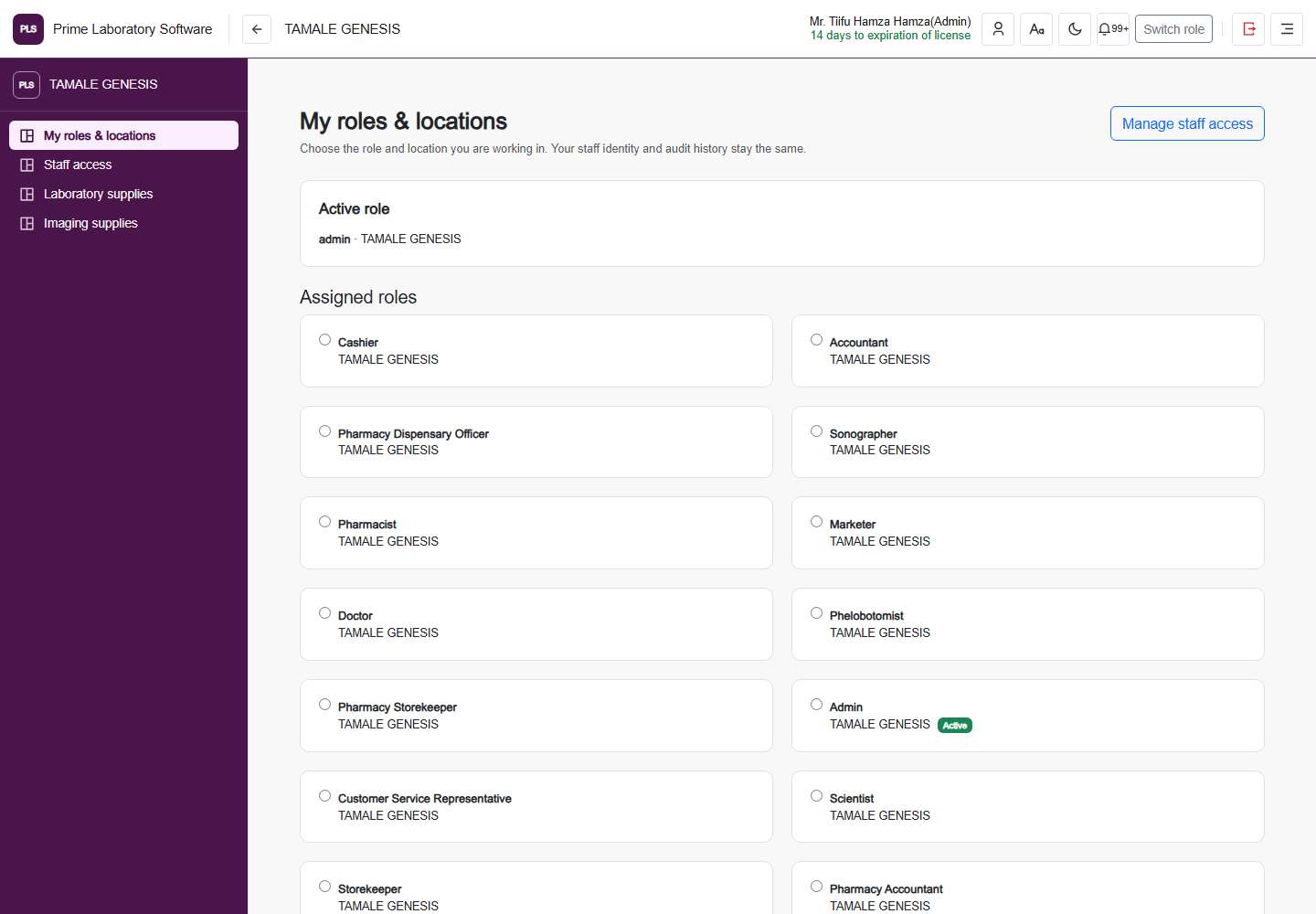
Full PLS demo software page: Roles & locations, including the original application header and navigation
Roles & locations

My roles & locations

The software's real role-and-location selector, not an invented access-control dashboard.

  • Review available roles and locations
  • Choose an authorized workspace
  • Keep role and location context visible
Captured from the current, customer-confirmed PLS demo facility on 1 November 2026. The application header, navigation, page content and displayed demo values are retained. This is a software page capture, not a redesigned illustration.
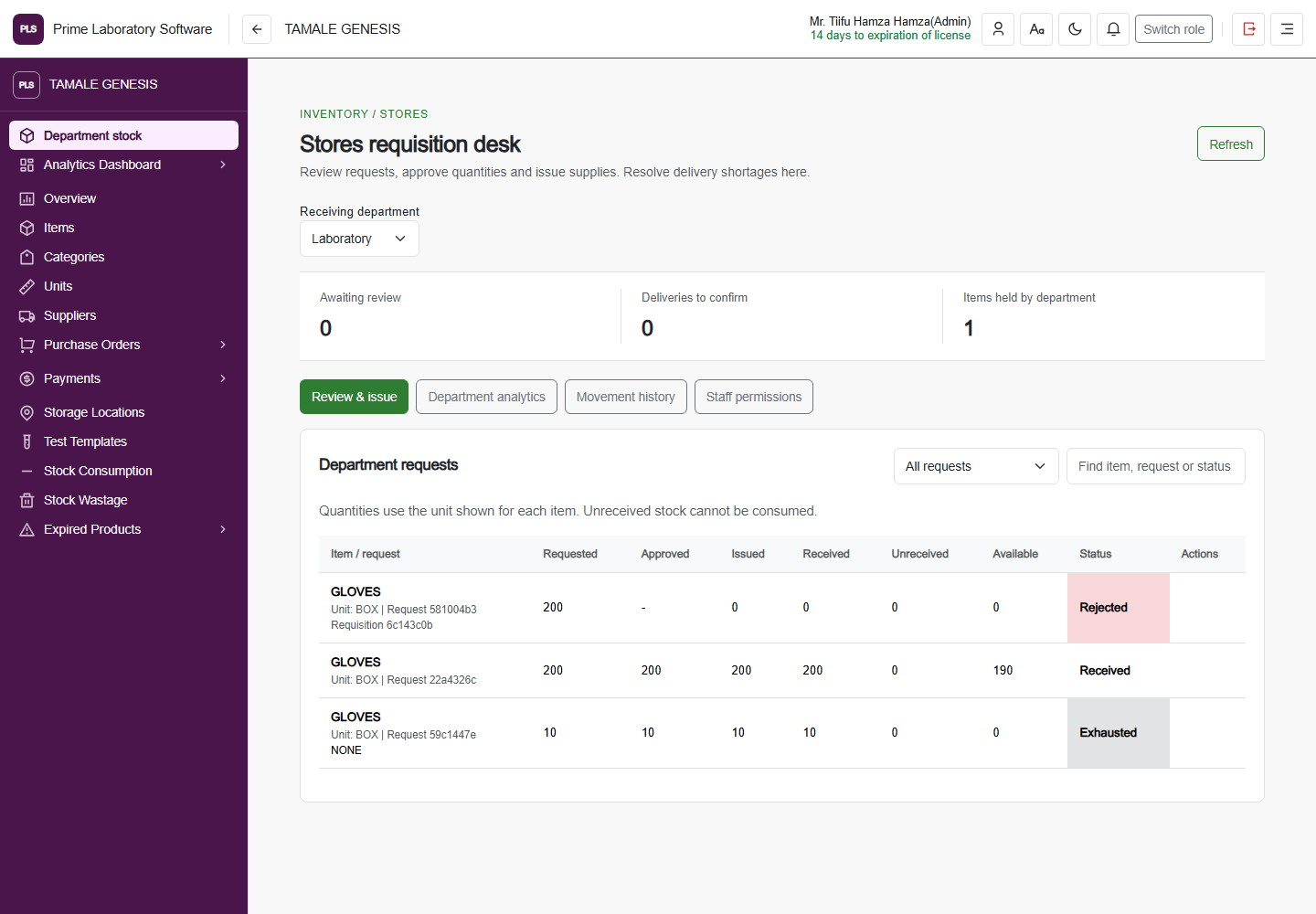
Full PLS demo stores requisition desk, including the original application header, sidebar and displayed stock records
Department stock

Follow supplies from a requisition to departmental custody.

The stores desk separates review, issue, delivery confirmation, available stock, movement history and staff permissions.

  • Review and approve departmental requisitions
  • Issue supplies and confirm deliveries
  • Track unreceived and available quantities separately
  • Review movement history and staff permissions
Captured from the current, customer-confirmed PLS demo facility on 1 November 2026. The application header, navigation, page content and displayed demo values are retained. This is a software page capture, not a redesigned illustration.
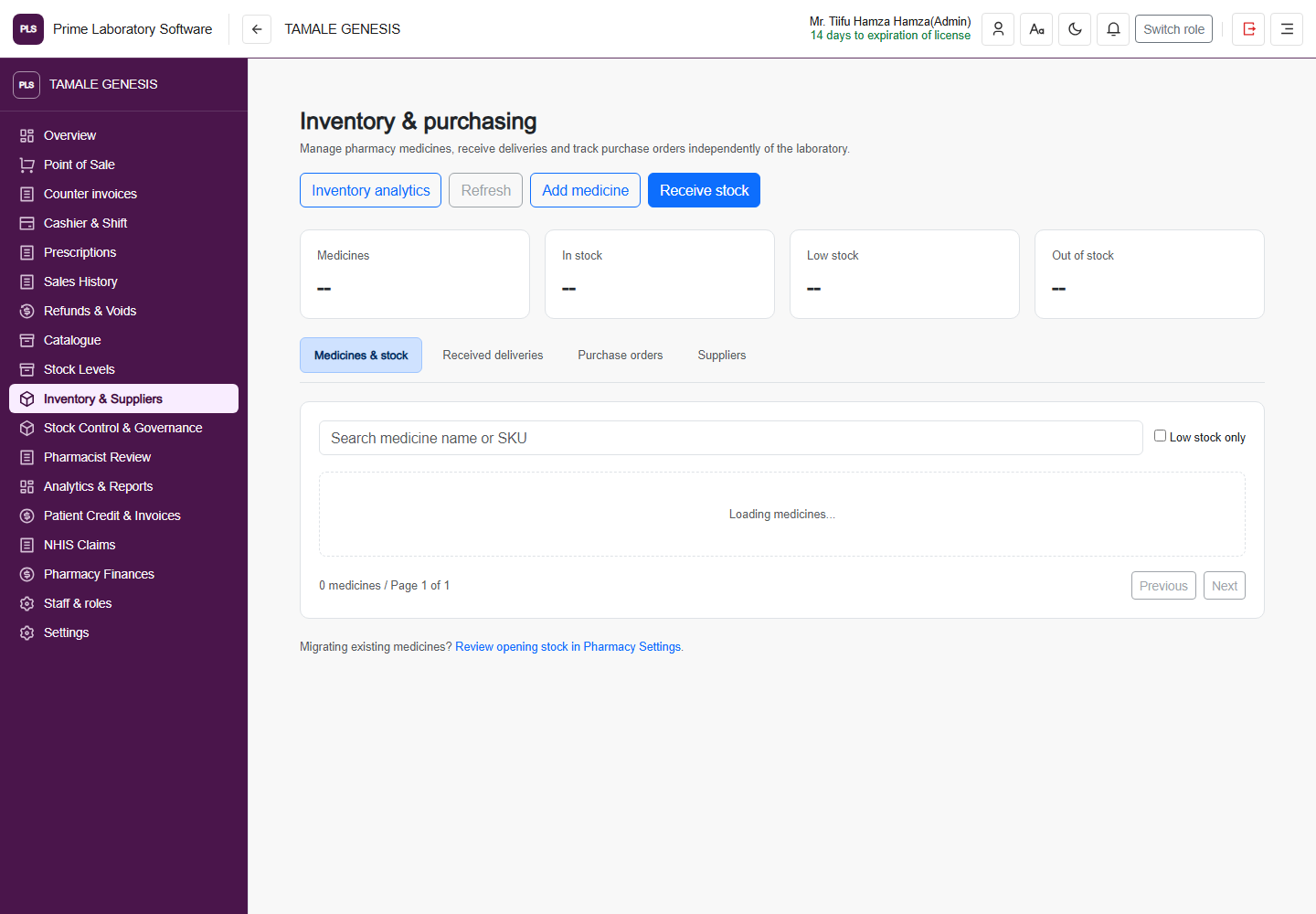
Full PLS demo pharmacy inventory and purchasing page with the original header, navigation and medicine records
Pharmacy purchasing

Keep pharmacy stock separate from laboratory supplies.

Manage medicines, purchase packs, physical and dispensable stock, received deliveries, purchase orders and suppliers in the pharmacy workspace.

  • Maintain medicines and purchase-pack units
  • Receive stock into pharmacy inventory
  • Review purchase orders and received deliveries
  • Follow physical, dispensable and low-stock indicators
Captured from the current, customer-confirmed PLS demo facility on 1 November 2026. The application header, navigation, page content and displayed demo values are retained. This is a software page capture, not a redesigned illustration.
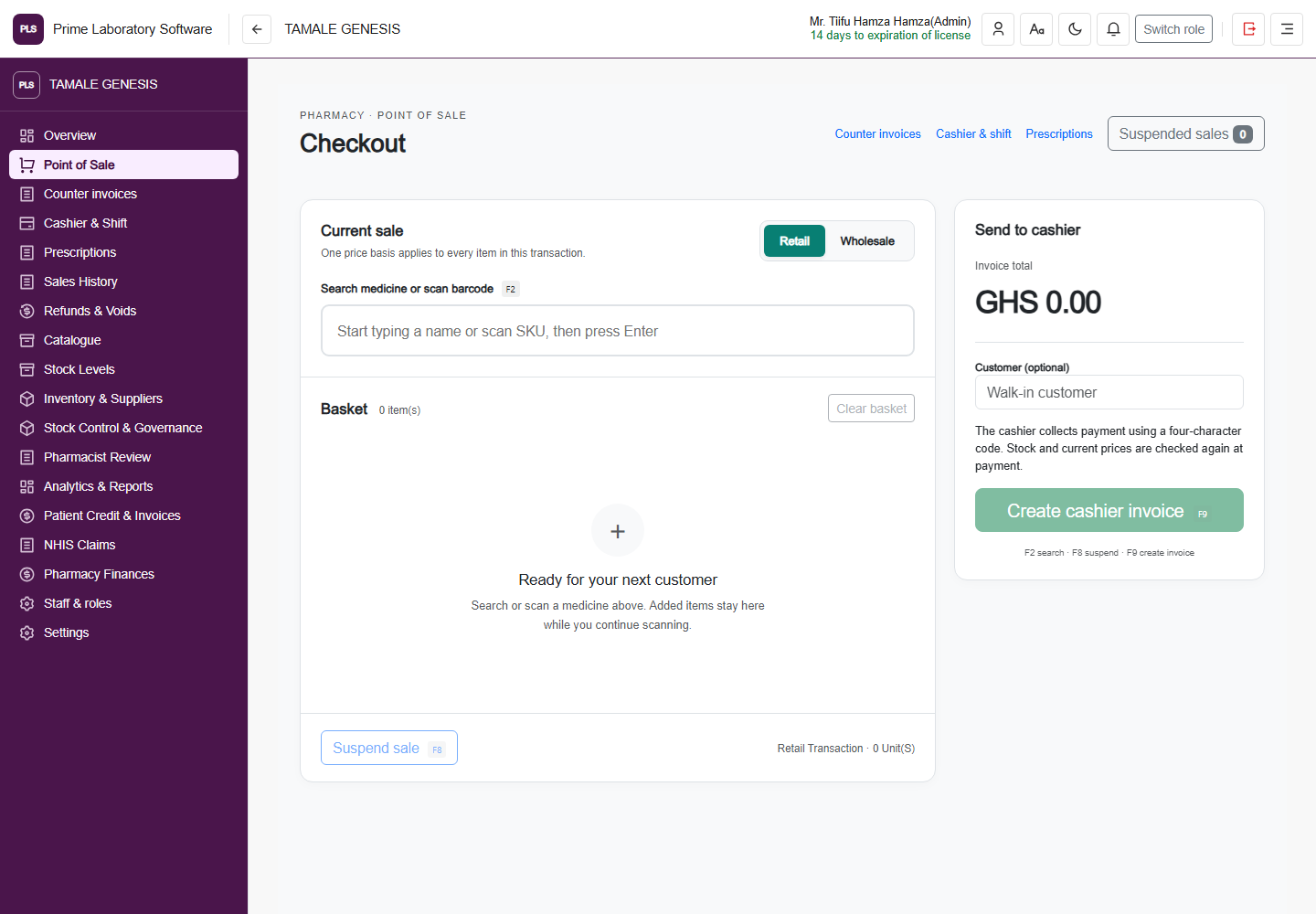
Full PLS demo pharmacy checkout page with its original application header, sidebar, medicine search, basket and payment controls
Pharmacy checkout

Bring pharmacy sales and collection into a dedicated checkout.

Search the medicine catalog, build a basket and use the pharmacy's financial-day and shift controls rather than mixing dispensary transactions into laboratory stock.

  • Search medicines and build a sales basket
  • Use configured pharmacy pricing and payment controls
  • Operate within the financial-day and cashier-shift workflow
  • Keep pharmacy sales independent of laboratory operations
Captured from the current, customer-confirmed PLS demo facility on 1 November 2026. The application header, navigation, page content and displayed demo values are retained. This is a software page capture, not a redesigned illustration.
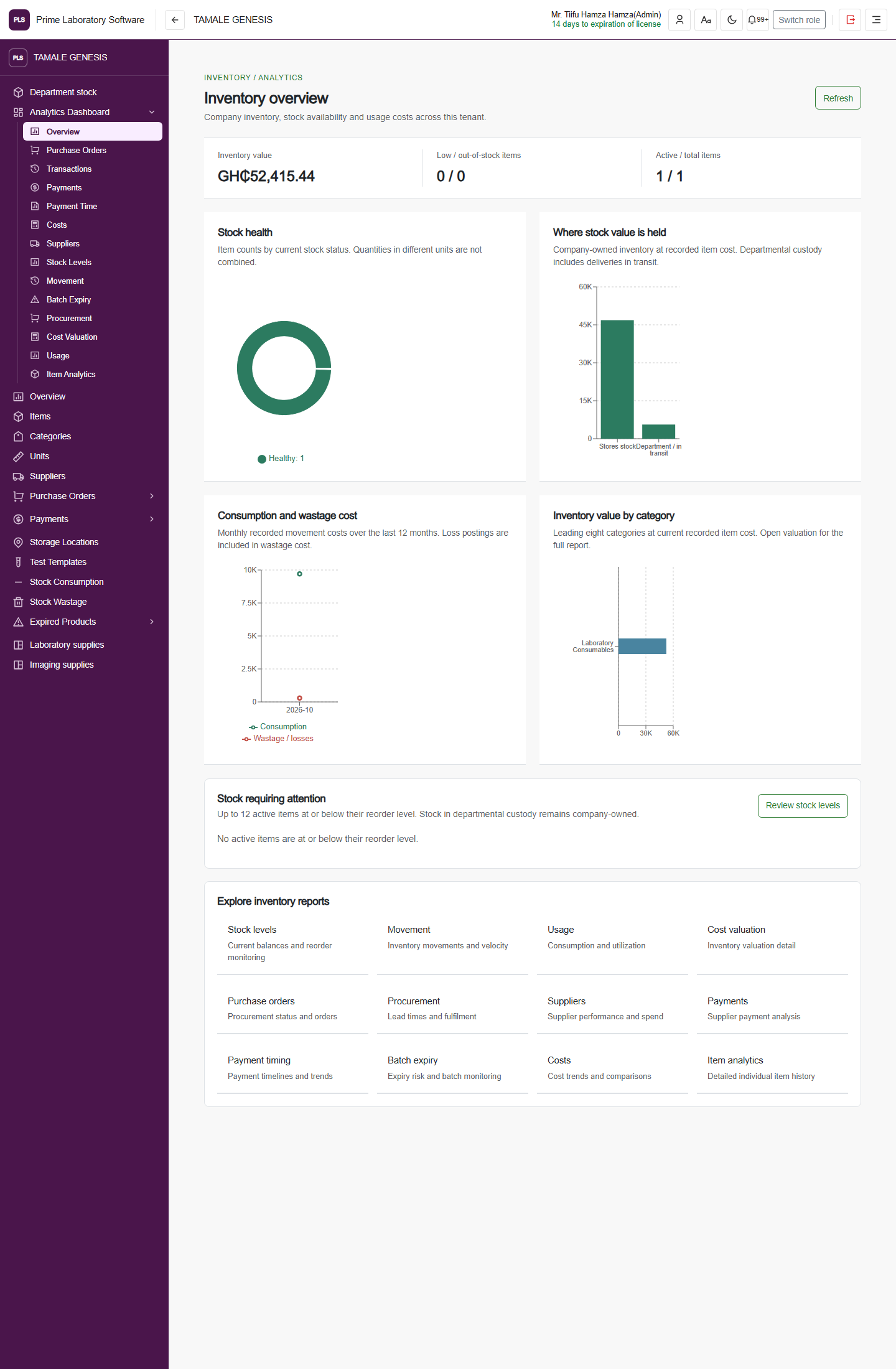
Full PLS demo software page: Complete inventory dashboard, including the original application header and navigation
Complete inventory dashboard

Inventory analytics: stock, custody, costs & reports

The complete current inventory overview, including stock-health charts, company-owned value by custody, consumption and wastage costs, category valuation, the reorder watchlist and linked reports.

  • Review inventory value and stock health
  • Compare stores and departmental custody
  • Inspect consumption, wastage and category valuation
  • Explore movement, procurement, supplier, payment and expiry reports
Captured from the current, customer-confirmed PLS demo facility on 1 November 2026. The application header, navigation, page content and displayed demo values are retained. This is a software page capture, not a redesigned illustration.
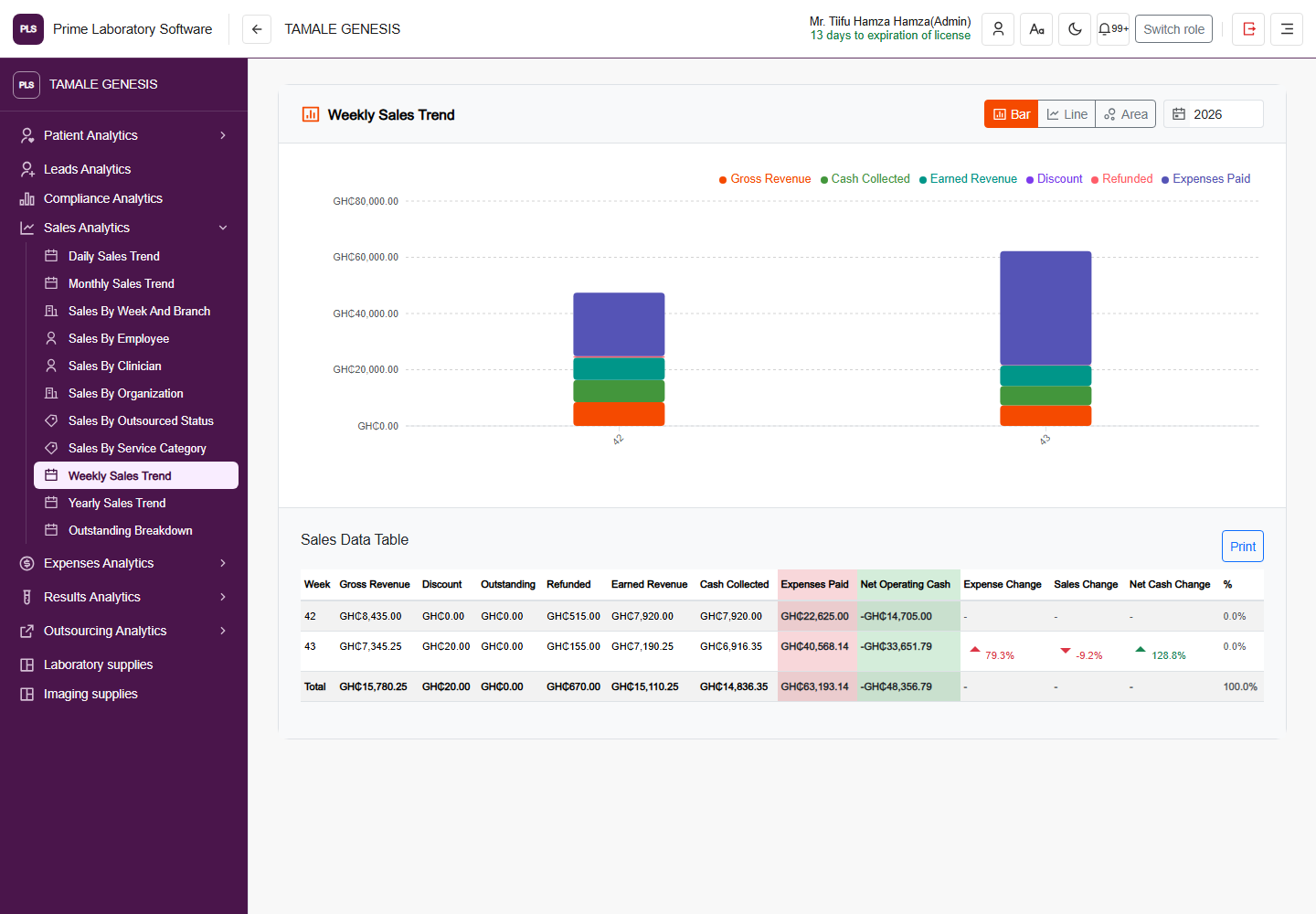
Full PLS demo software page: Weekly sales analytics, including the original application header and navigation
Weekly sales analytics

Weekly Sales Trend

The actual weekly sales chart and reconciliation table, showing gross revenue, collections, earned revenue, discounts, refunds and expenses in the demo facility.

  • Compare weekly revenue and collections
  • Inspect expenses and net operating cash
  • Review the source sales table and period changes
Captured from the current, customer-confirmed PLS demo facility on 1 November 2026. The application header, navigation, page content and displayed demo values are retained. This is a software page capture, not a redesigned illustration.
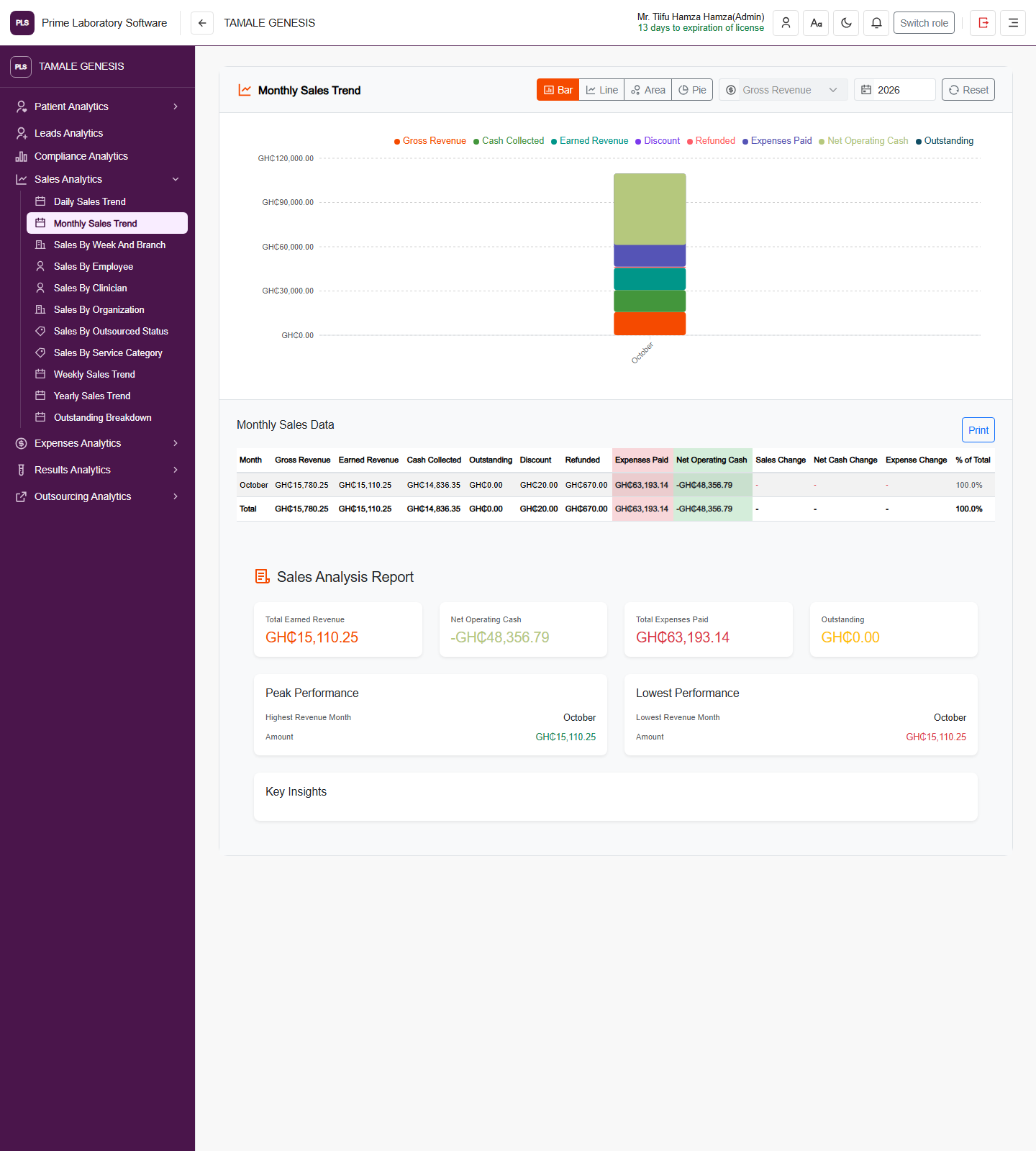
Full PLS demo software page: Monthly sales analytics, including the original application header and navigation
Monthly sales analytics

Monthly Sales Trend

Monthly revenue and cash-flow charts, the sales data table and recorded performance summaries.

  • Switch the displayed sales metrics
  • Review monthly revenue, refunds and expenses
  • Compare monthly performance and recorded outstanding amounts
Captured from the current, customer-confirmed PLS demo facility on 1 November 2026. The application header, navigation, page content and displayed demo values are retained. This is a software page capture, not a redesigned illustration.
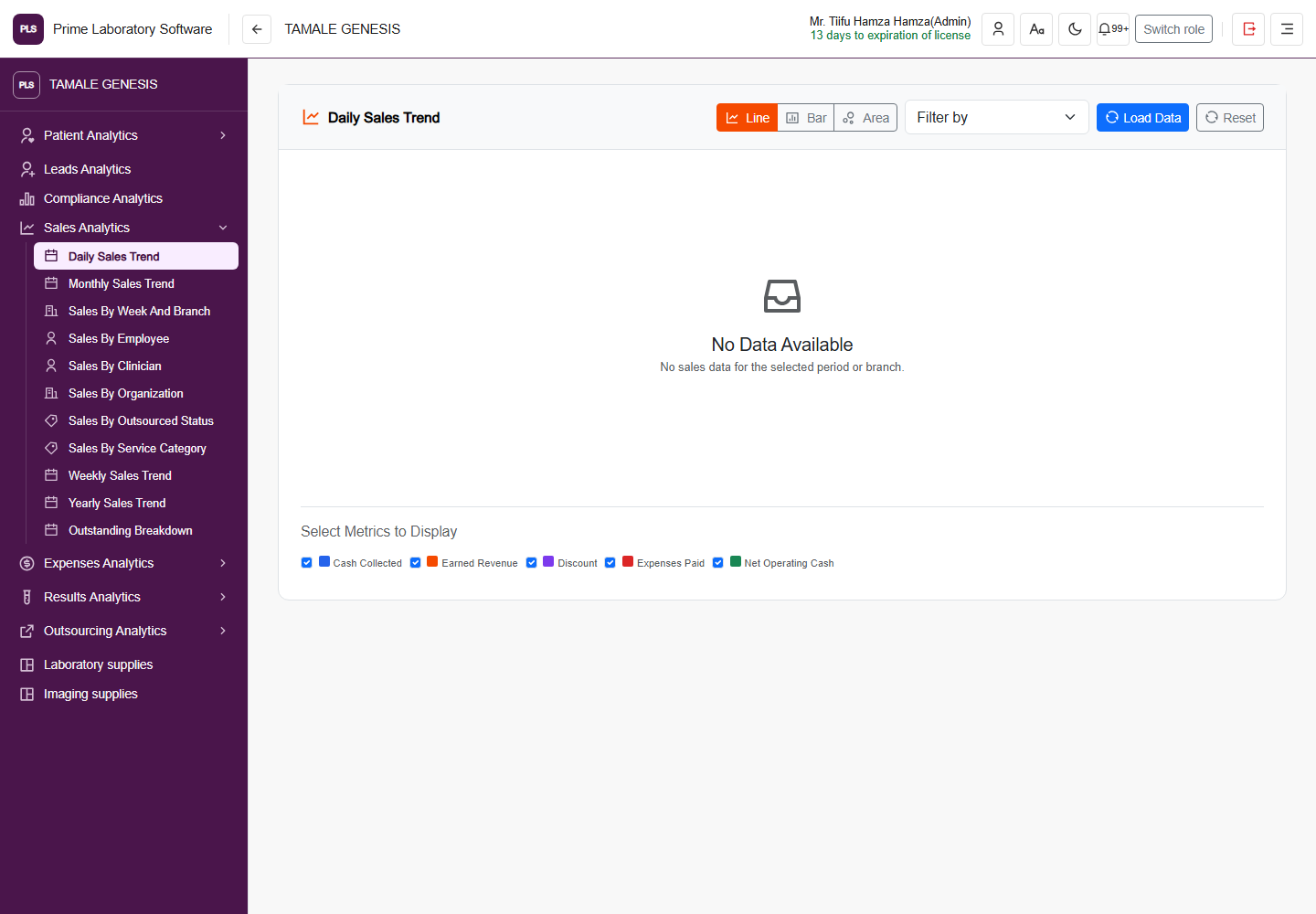
Full PLS demo software page: Daily sales analytics, including the original application header and navigation
Daily sales analytics

Daily Sales Trend

The daily sales workspace with its original period filters and metric selectors. The captured default period has no sales records; no values or charts have been fabricated.

  • Select supported reporting periods
  • Compare cash collected, earned revenue and expenses
  • Use line, bar or area views when the selected period has data
Captured from the current, customer-confirmed PLS demo facility on 1 November 2026. The application header, navigation, page content and displayed demo values are retained. This is a software page capture, not a redesigned illustration.
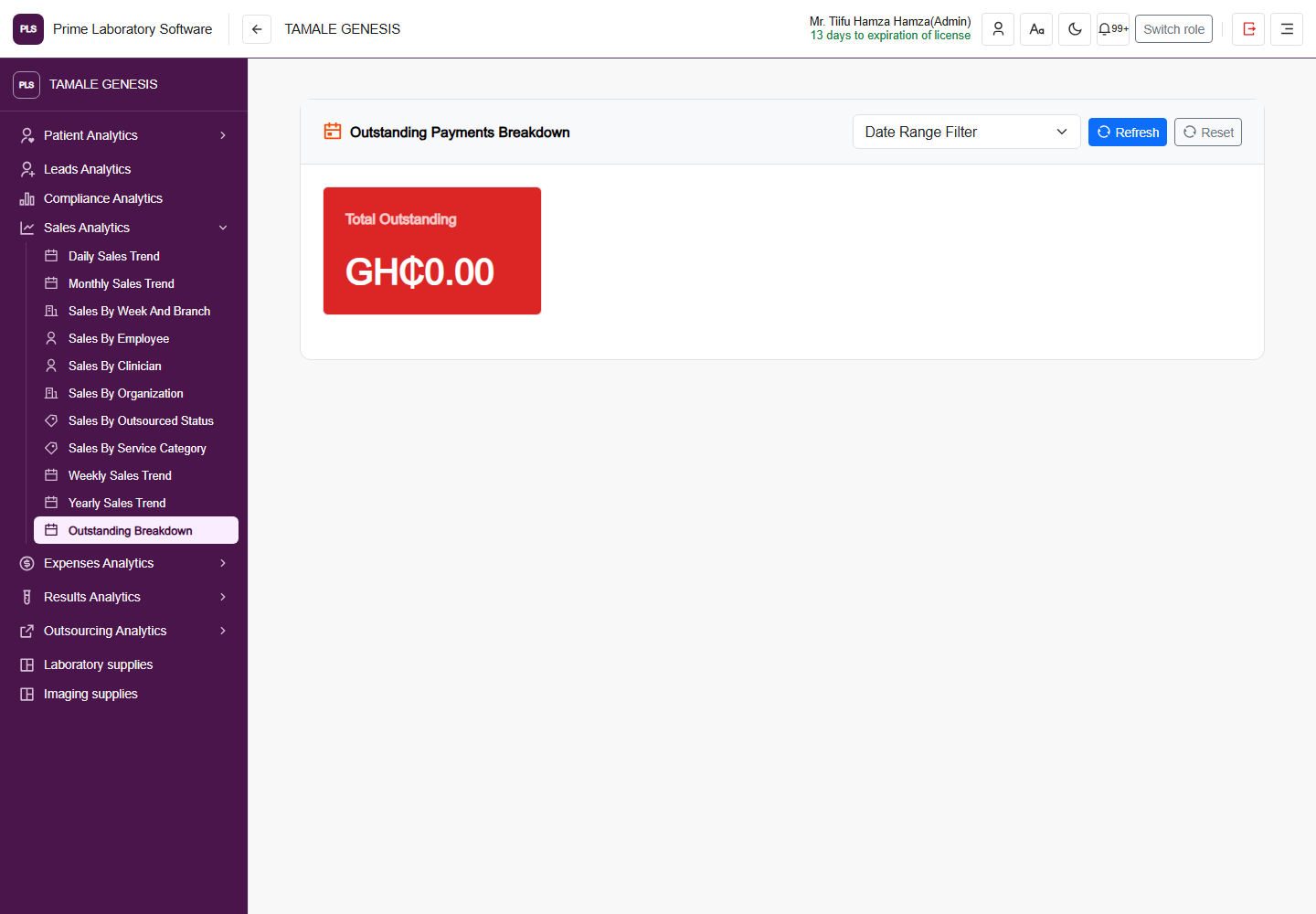
Full PLS demo software page: Outstanding payment analytics, including the original application header and navigation
Outstanding payment analytics

Outstanding Payments Breakdown

The current outstanding-payment reporting page and its date filters, retaining the demo facility's zero-balance summary.

  • Review recorded unpaid balances
  • Filter the reporting period
  • Inspect available category and debtor breakdowns
Captured from the current, customer-confirmed PLS demo facility on 1 November 2026. The application header, navigation, page content and displayed demo values are retained. This is a software page capture, not a redesigned illustration.
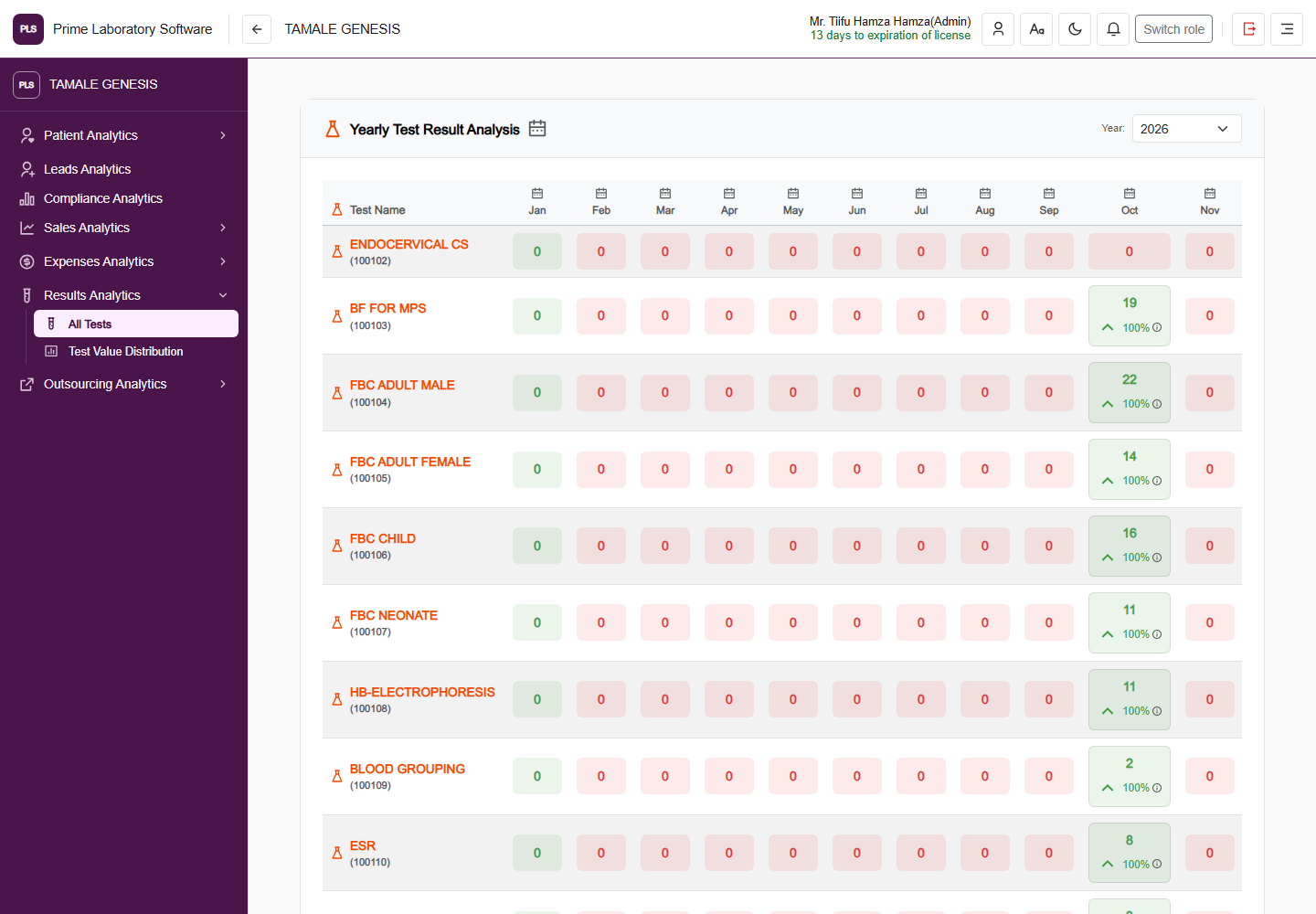
Full PLS demo software page: Yearly test result analytics, including the original application header and navigation
Yearly test result analytics

Yearly Test Result Analysis

The actual year-by-month investigation count matrix, with its test identifiers and monthly, yearly and field-value drilldown controls.

  • Review monthly counts by investigation
  • Select the reporting year
  • Navigate monthly cases and field-value analysis
Captured from the current, customer-confirmed PLS demo facility on 1 November 2026. The application header, navigation, page content and displayed demo values are retained. This is a software page capture, not a redesigned illustration.
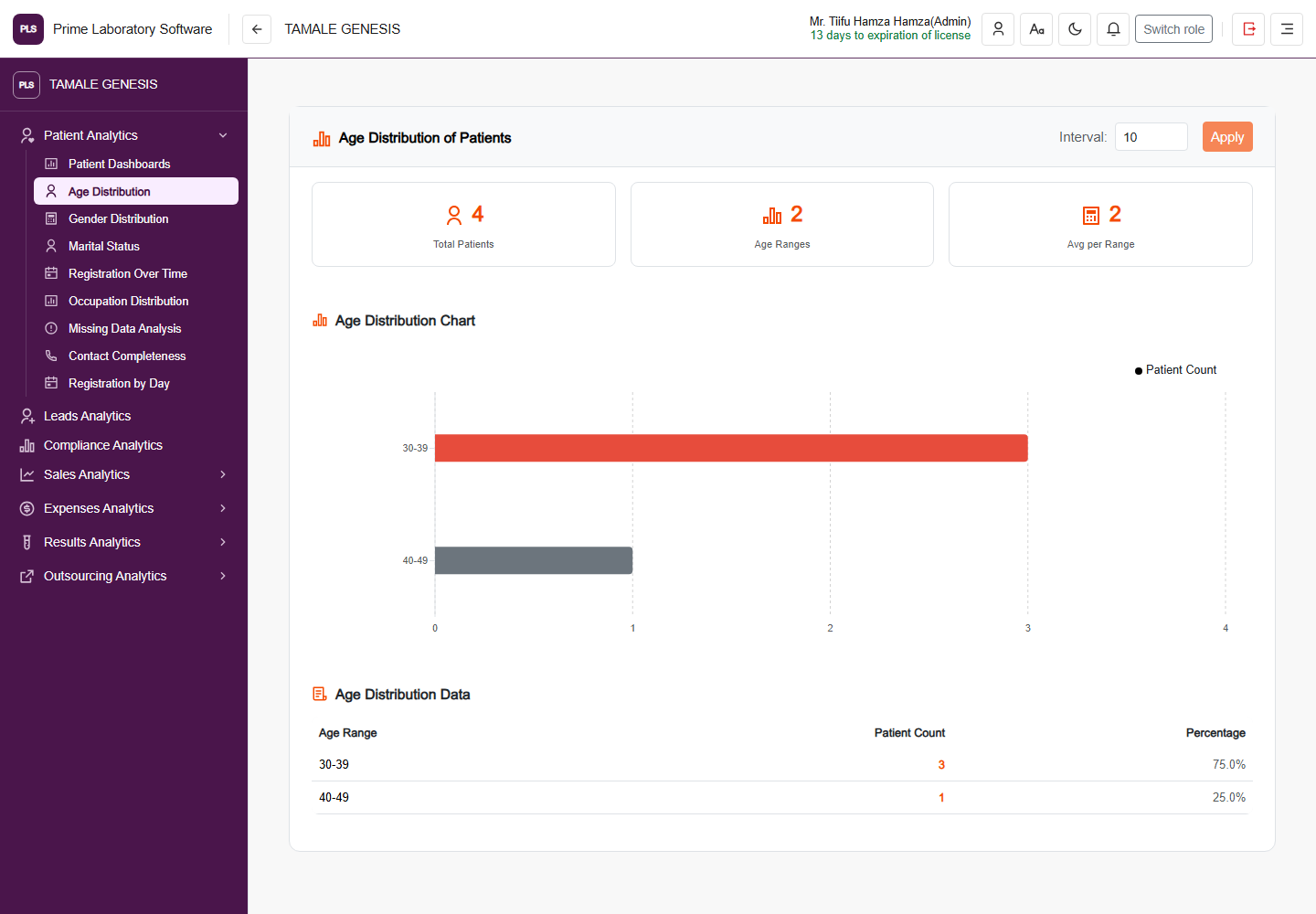
Full PLS demo software page: Patient age distribution, including the original application header and navigation
Patient age distribution

Age Distribution of Patients

The actual patient age-distribution chart and percentage table, showing the demo facility's recorded patients.

  • Review counts by age range
  • Change the grouping interval
  • Inspect percentages and the underlying distribution table
Captured from the current, customer-confirmed PLS demo facility on 1 November 2026. The application header, navigation, page content and displayed demo values are retained. This is a software page capture, not a redesigned illustration.
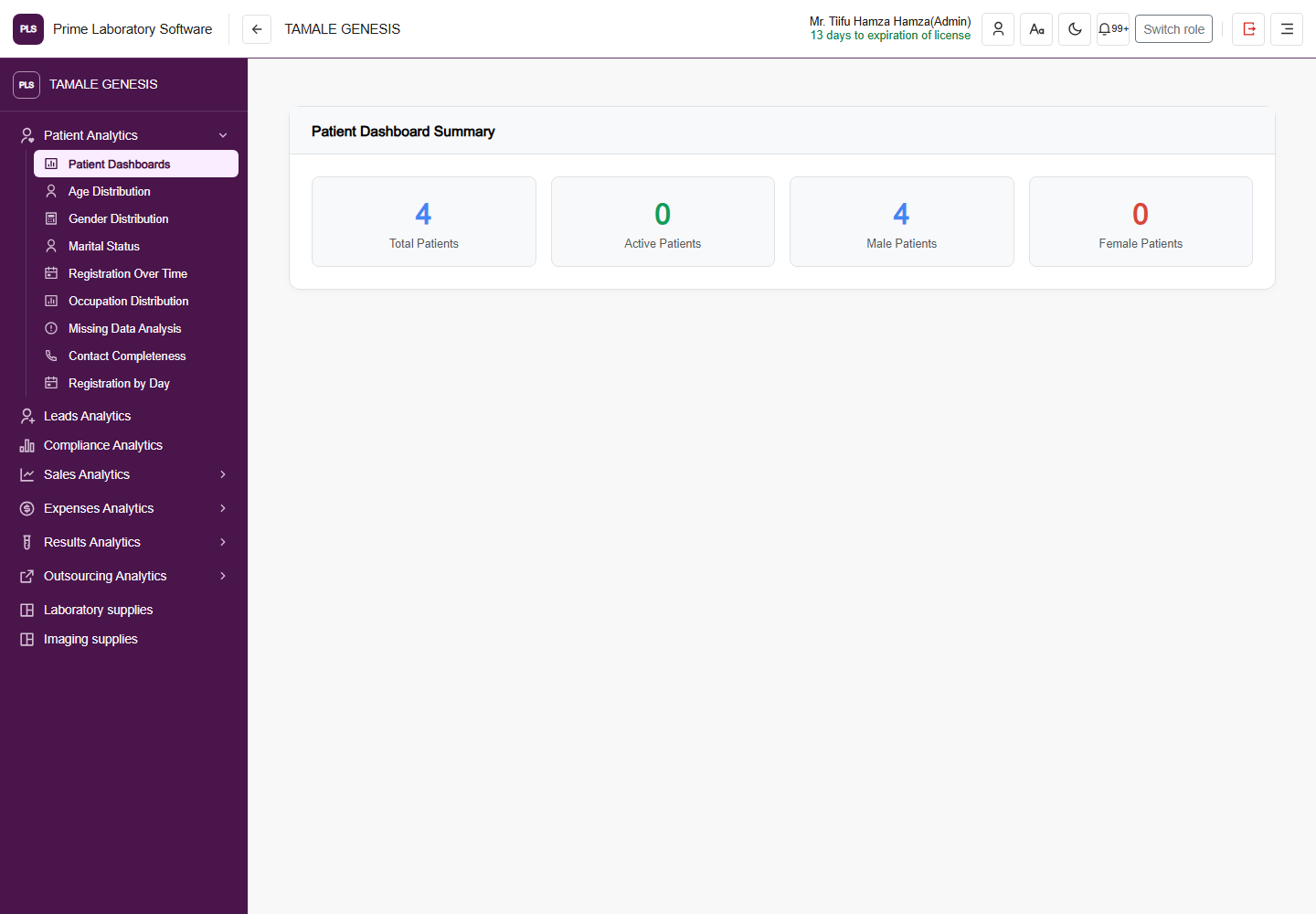
Full PLS demo software page: Patient analytics summary, including the original application header and navigation
Patient analytics summary

Patient Dashboard Summary

The current patient summary with total, active, male and female patient indicators.

  • Review recorded patient totals
  • Inspect active-patient indicators
  • Compare the displayed demographic counts
Captured from the current, customer-confirmed PLS demo facility on 1 November 2026. The application header, navigation, page content and displayed demo values are retained. This is a software page capture, not a redesigned illustration.
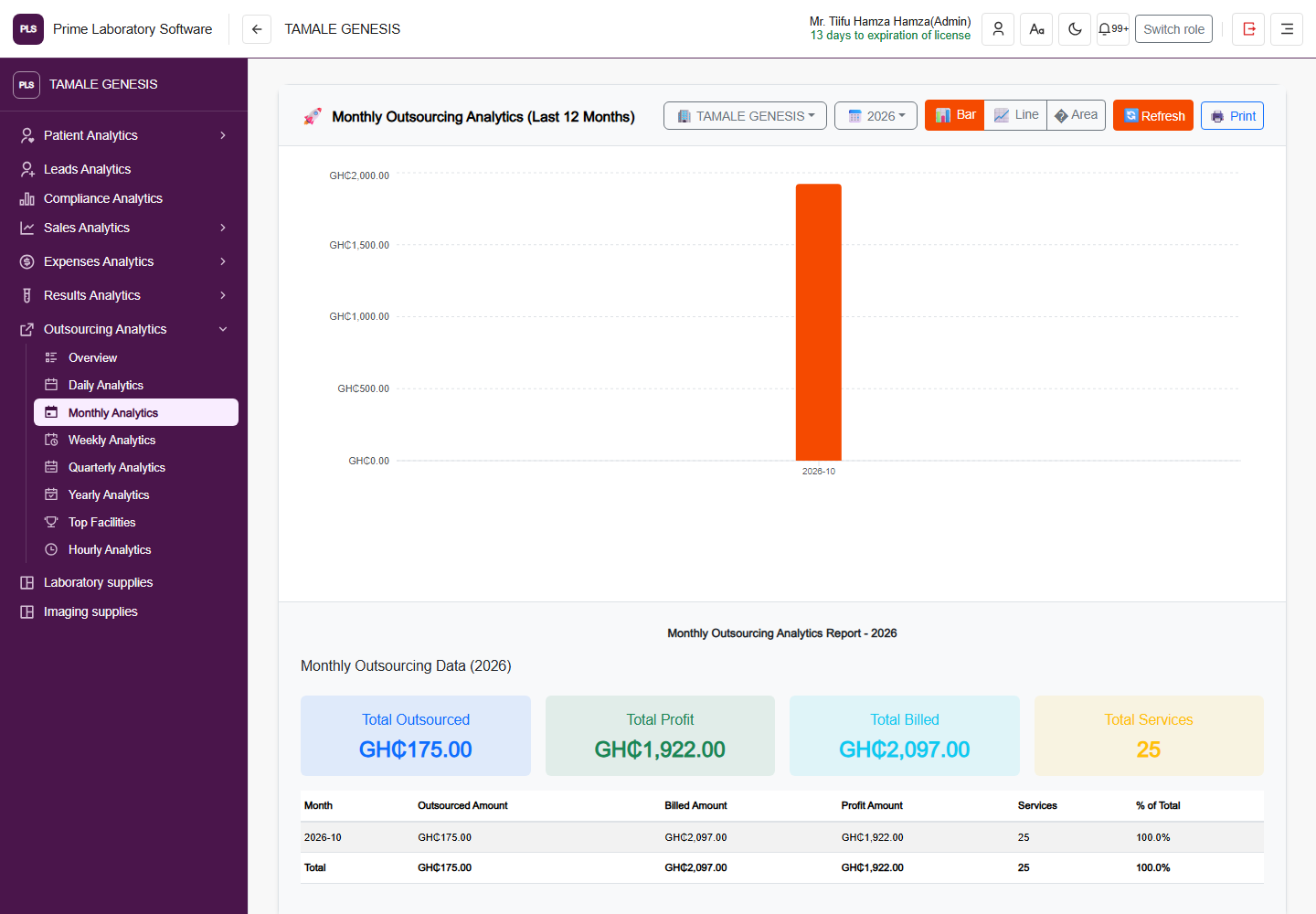
Full PLS demo software page: Monthly outsourcing analytics, including the original application header and navigation
Monthly outsourcing analytics

Monthly Outsourcing Analytics

The actual outsourcing chart and report comparing recorded outsourced costs, billed amounts, profit and service counts.

  • Review outsourced amounts and recorded profit
  • Compare monthly outsourcing activity
  • Inspect billed amounts and service counts
Captured from the current, customer-confirmed PLS demo facility on 1 November 2026. The application header, navigation, page content and displayed demo values are retained. This is a software page capture, not a redesigned illustration.
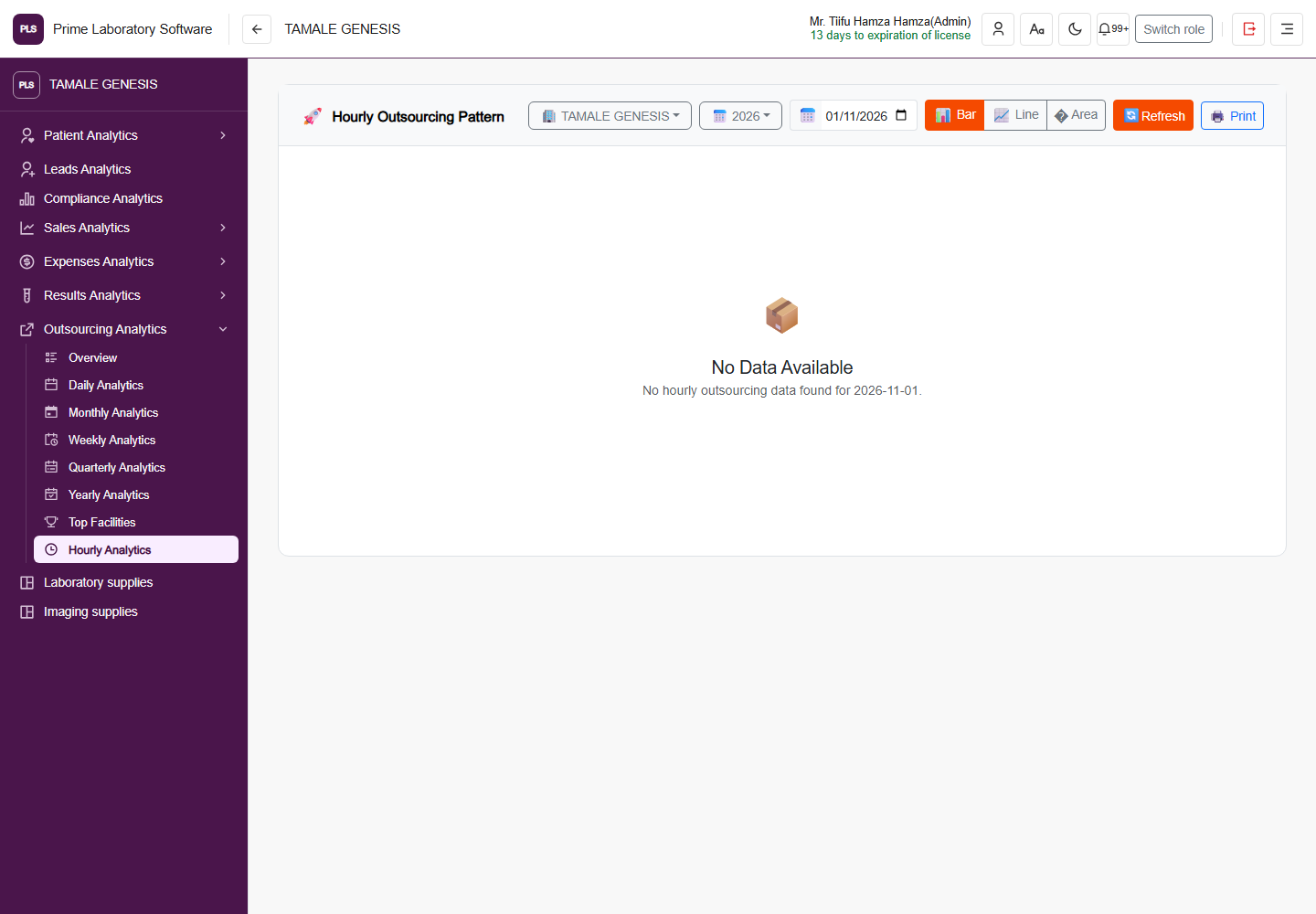
Full PLS demo software page: Hourly outsourcing analytics, including the original application header and navigation
Hourly outsourcing analytics

Hourly Outsourcing Pattern

The hourly outsourcing workspace with its original period and chart controls. The captured day has no outsourcing records.

  • Select the date for hourly analysis
  • Inspect facility outsourcing activity
  • Switch chart views when the selected period has data
Captured from the current, customer-confirmed PLS demo facility on 1 November 2026. The application header, navigation, page content and displayed demo values are retained. This is a software page capture, not a redesigned illustration.
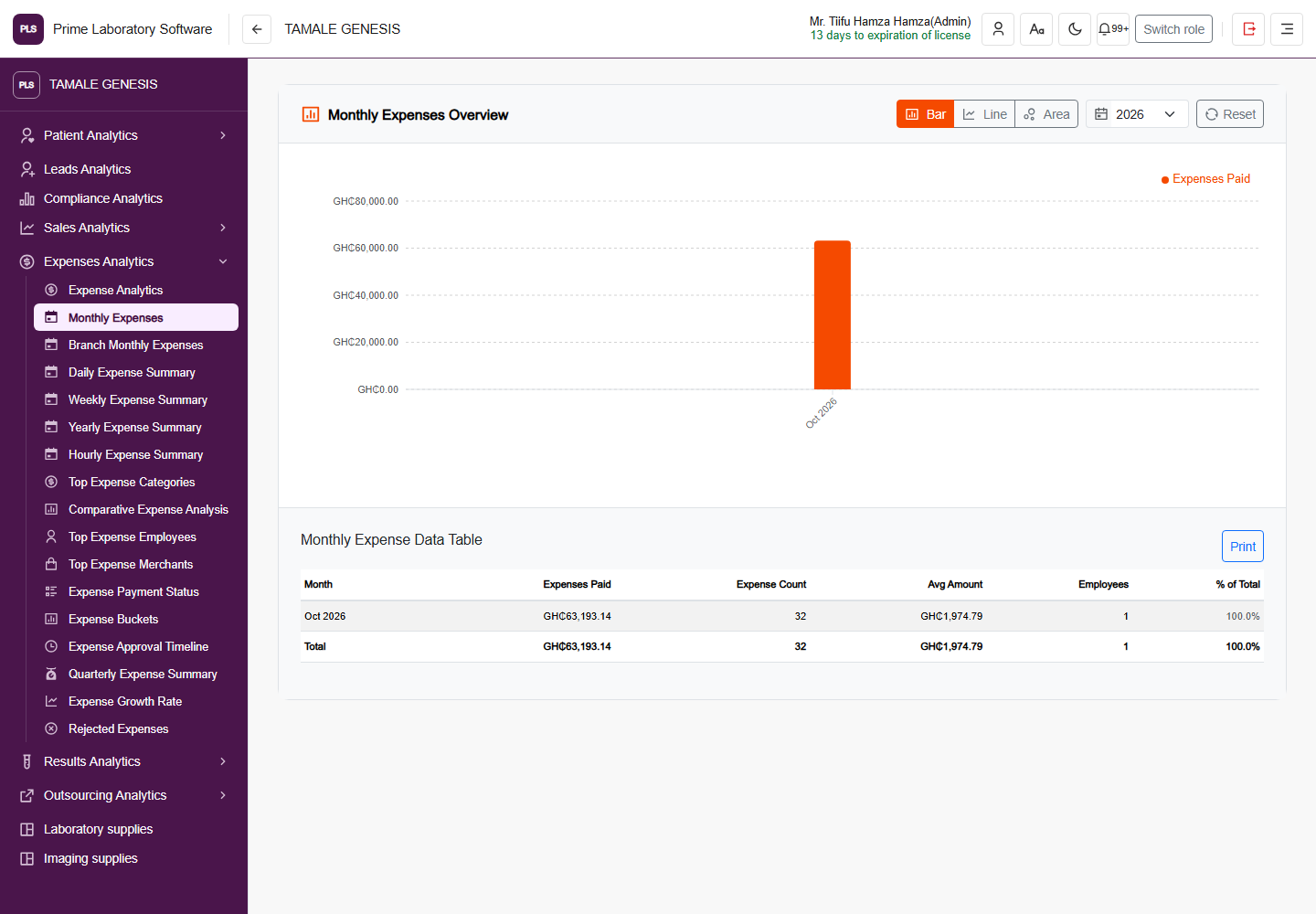
Full PLS demo software page: Monthly expense analytics, including the original application header and navigation
Monthly expense analytics

Monthly Expenses Overview

The real monthly expense chart and table, including recorded spend, expense counts, average amounts and employee counts.

  • Compare monthly recorded expenses
  • Inspect expense counts and average amounts
  • Review employee counts and share of spend
Captured from the current, customer-confirmed PLS demo facility on 1 November 2026. The application header, navigation, page content and displayed demo values are retained. This is a software page capture, not a redesigned illustration.
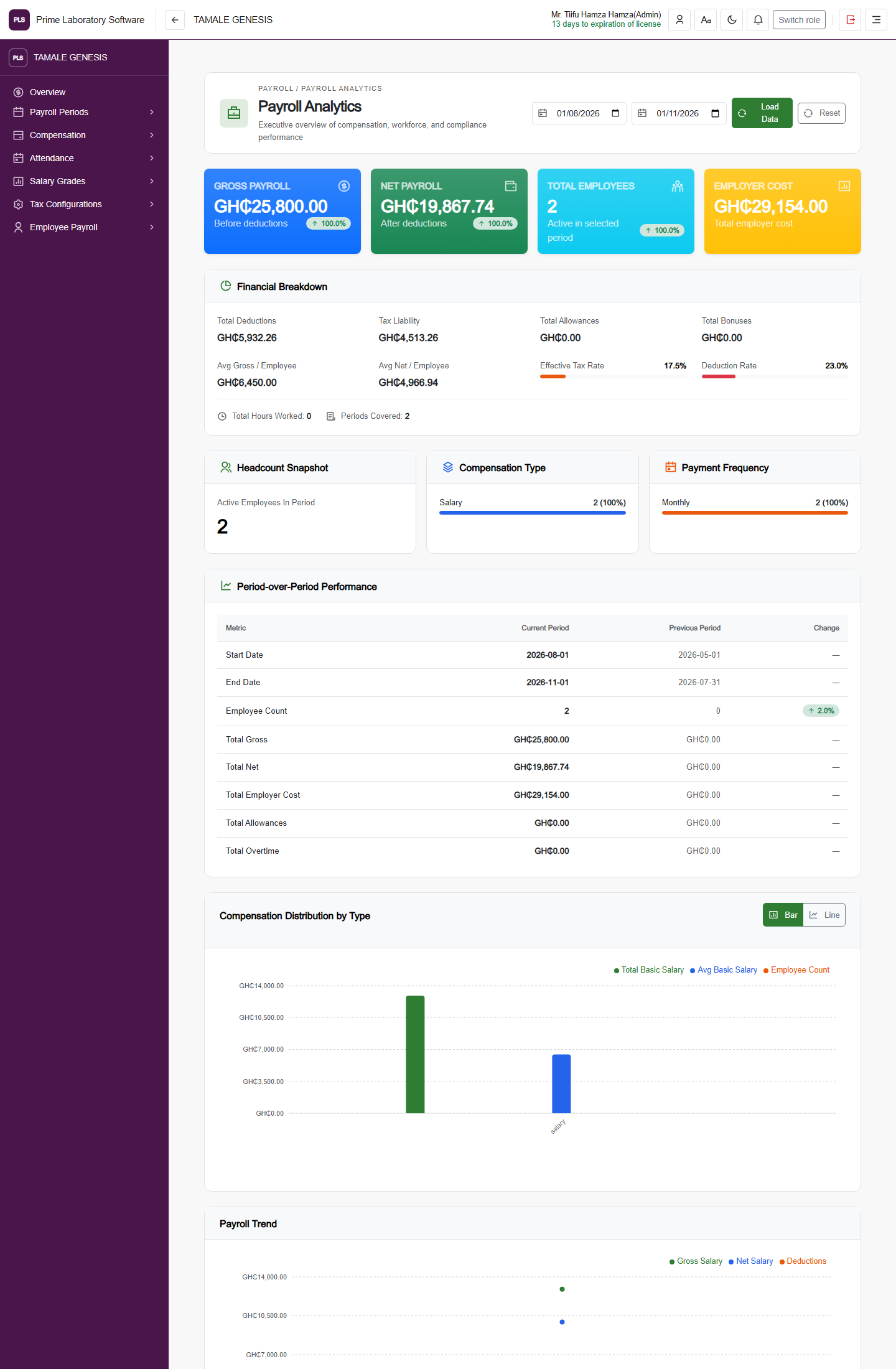
Full PLS demo software page: Payroll analytics dashboard, including the original application header and navigation
Payroll analytics dashboard

Payroll Analytics

The current payroll dashboard with gross and net pay, employer cost, financial breakdowns, headcount, compensation distributions and period comparisons.

  • Review gross payroll, net payroll and employer cost
  • Compare payroll periods and compensation distributions
  • Inspect headcount, attendance, leave and processing indicators
Captured from the current, customer-confirmed PLS demo facility on 1 November 2026. The application header, navigation, page content and displayed demo values are retained. This is a software page capture, not a redesigned illustration.
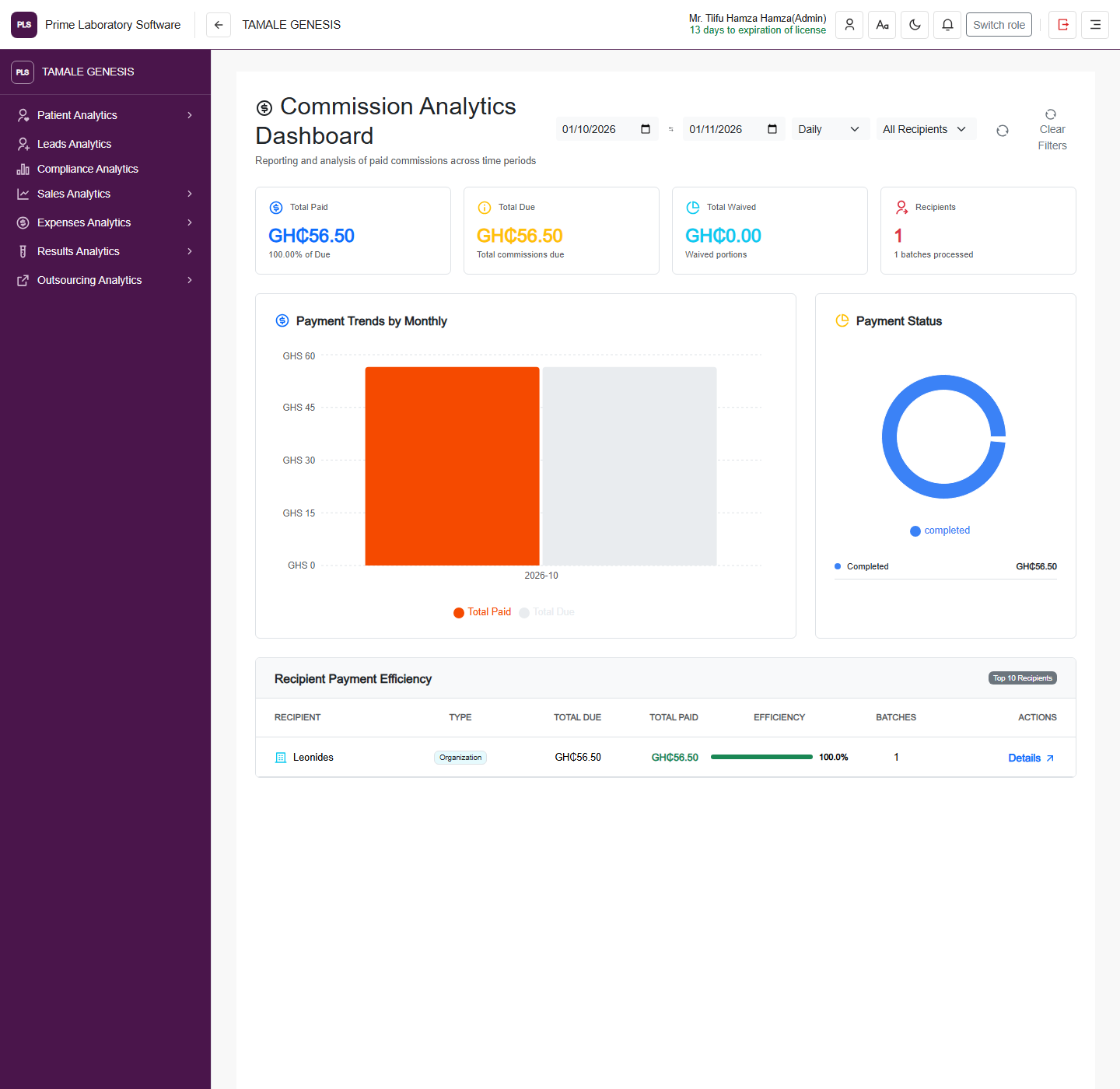
Full PLS demo software page: Commission analytics dashboard, including the original application header and navigation
Commission analytics dashboard

Commission Analytics Dashboard

The real commission-payment trend, status chart and recipient-efficiency table, retaining the demo software's original values and layout.

  • Compare paid, due and waived commission amounts
  • Filter periods and recipient types
  • Inspect payment trends and recipient efficiency
Captured from the current, customer-confirmed PLS demo facility on 1 November 2026. The application header, navigation, page content and displayed demo values are retained. This is a software page capture, not a redesigned illustration.
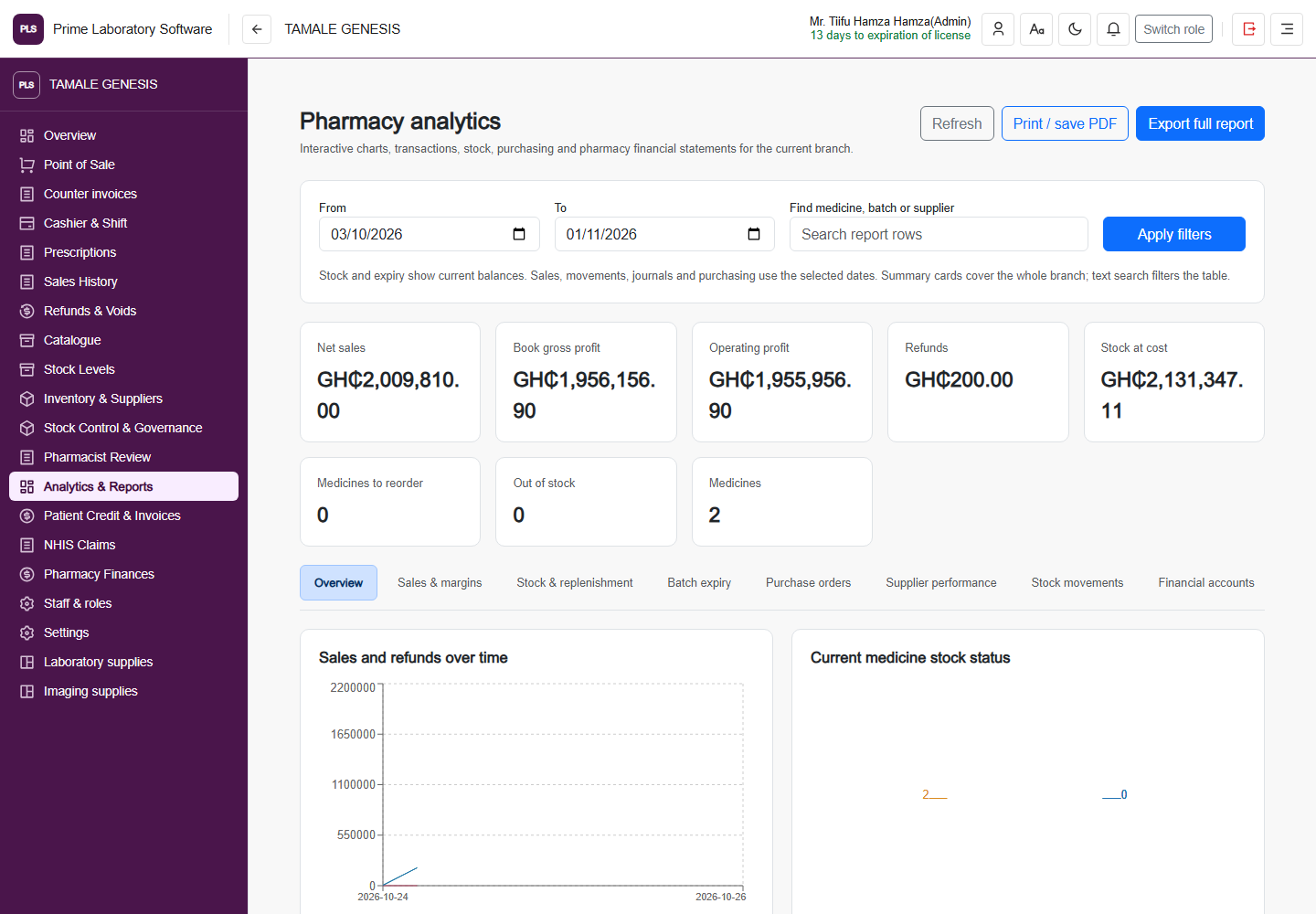
Full PLS demo software page: Pharmacy analytics dashboard, including the original application header and navigation
Pharmacy analytics dashboard

Pharmacy analytics

The actual pharmacy report workspace, with sales/refund charts, stock health, ledger results and report tabs.

  • Review pharmacy sales and refunds
  • Inspect current medicine stock and ledger results
  • Explore margins, expiry, suppliers and financial report tabs
Captured from the current, customer-confirmed PLS demo facility on 1 November 2026. The application header, navigation, page content and displayed demo values are retained. This is a software page capture, not a redesigned illustration.
YOUR TEAM. YOUR WORKFLOWS.

See the parts of PLS that matter to you.

Ask for a demonstration spanning your clinical, supply, financial and customer-facing requirements.

Request a guided demonstration